AI Character Animation: Bring Any Character to Life

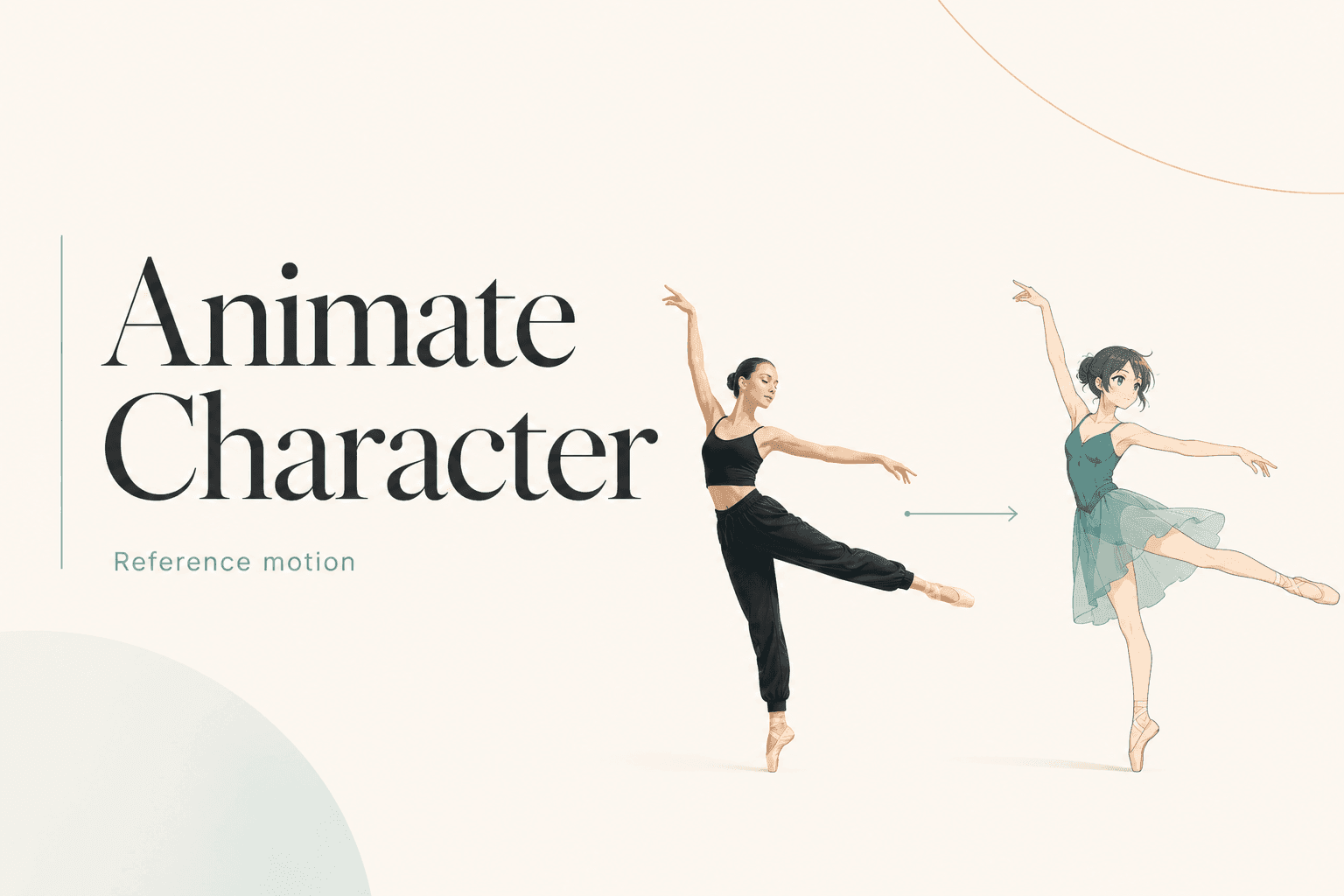
Make your character dance, wave, or act out a scene with DomoAI’s AI character animator. Upload an image and a reference video to create clips for social posts, stories, and brand videos—no manual rigging needed.
Start for free

#7

Discord Server Globally

70+

AI Video Models

5,000,000+

Active Users

Civitai
Discord
TV Asahi
Andressen
Voicy
ESTEBANDIBA
ESTEBANDIBA

2693K

EMDOTTECH
EMDOTTECH

1768K

SEB.DRAWS.THINGS
SEB.DRAWS.THINGS

1559K

DENY KING
DENY KING

1340K

PLANET AI
PLANET AI

377K

MIKIMIKIWEB
MIKIMIKIWEB

288K

SHEDOESAI
SHEDOESAI

484K

ATEF ATAYA
ATEF ATAYA

288K

SUBOSE S
SUBOSE S

914K

MR REIS
MR REIS

669K

Make Your Character Move

Motion-Based Animation

Upload a video of a dance, a wave, or another action, and let AI use those movements to guide your character’s animation.

Photo-to-Animation

Got a static photo, drawing, or AI-generated image? Turn it into a lively, moving character using a reference video.

Prompt Enhancement

Use simple text prompts to guide the scene, style, and details of your animation. Add your instructions alongside the character image and reference video.

No Animation Experience Needed

Create character animations without building a rig or drawing every frame. Start with an image and a reference video, then let AI handle the animation.

Create AI Character Animation in 3 Simple Steps

STEP 1

Upload Your Character and Reference Video

Choose the character you want to animate, then upload a video showing the moves you want it to follow. A clear character image and a video with one visible subject are good starting points.

STEP 2

Choose Your Settings

Pick a model, add a prompt, and choose the available duration, aspect ratio, and other settings. Making a dance video? Match a full-body character image with a reference that shows the whole movement.

STEP 3

Generate and Download

Generate your animation, watch your character move, and download the version you like. You can share the clip, add it to a video edit, or change your inputs to try another idea.

AI Character Animation Features

Create Your Own Character

Start with your own design, or use DomoAI Text to Image to create a new character from a text description. Choose the appearance, outfit, and style before animating. Use the same character image with different reference videos to build a series of dances, reactions, or story scenes.

Multiple AI Models

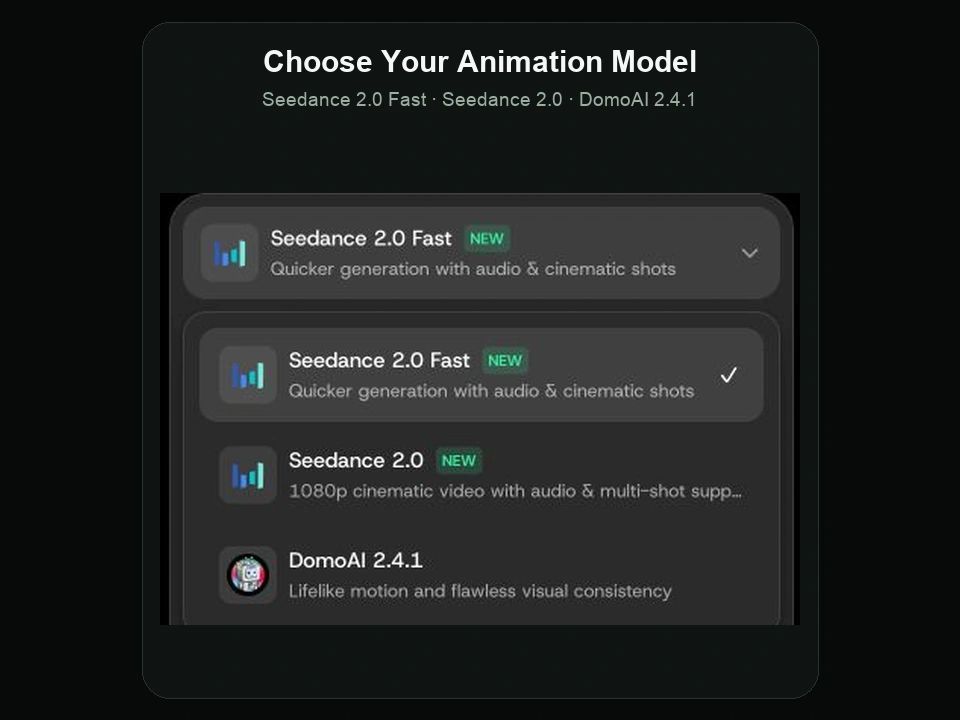
Choose ByteDance’s Seedance 2.0 or Seedance 2.0 Fast, available through DomoAI, or DomoAI’s own 2.4.1 model. Try the same character and reference video with different models to compare results. Each model offers different settings, so you can choose the options that suit your project.
DomoAI Character to Video model menu showing Seedance 2.0 Fast, Seedance 2.0, and DomoAI 2.4.1.

Background Options

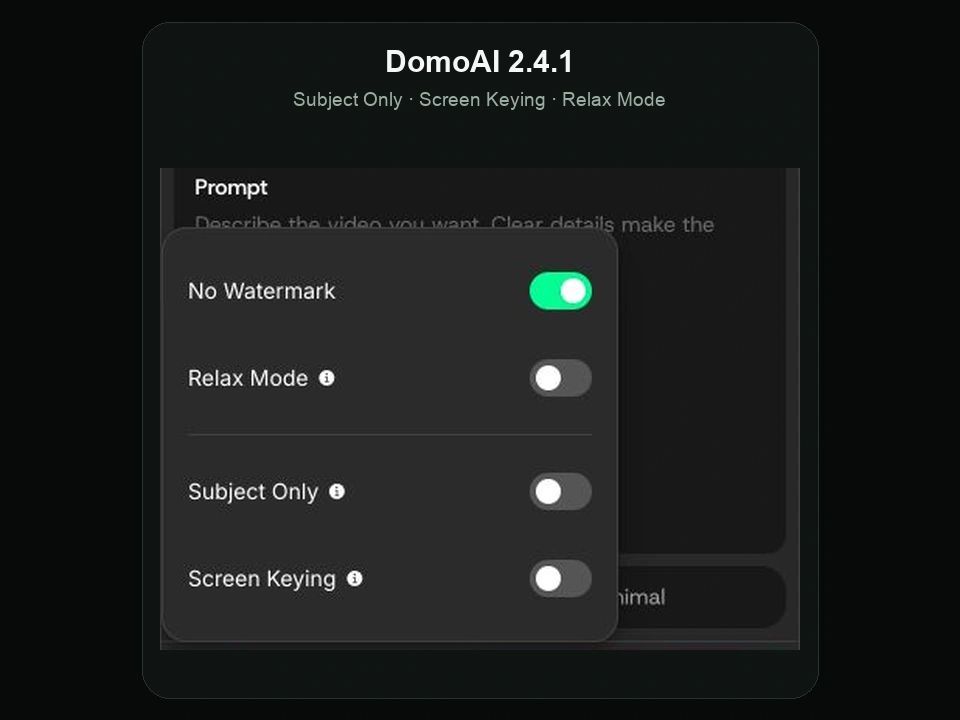
With DomoAI 2.4.1’s Subject Only option, focus the replacement on the main character while keeping the rest of the scene closer to the original. For clips you want to place against a new background, use Screen Keying and finish the composition in your video editor.
DomoAI 2.4.1 settings showing No Watermark, Relax Mode, Subject Only, and Screen Keying.

Flexible Video Formats

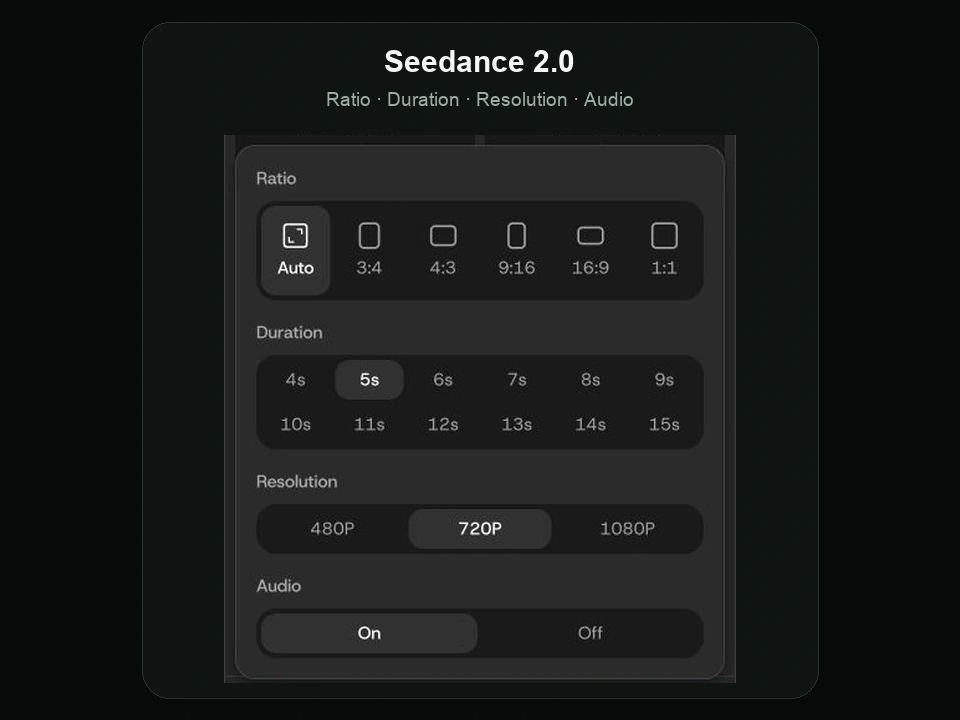
Create vertical character animations for TikTok and Reels, square clips for your feed, or widescreen videos for YouTube and other projects. Choose the available duration, resolution, and audio settings to suit your video. With Seedance 2.0 and Seedance 2.0 Fast, you can create 4–15 second clips with audio on or off.
Seedance 2.0 settings showing aspect ratios, 4–15 second durations, resolution options, and audio controls.

High-Quality Output

Increase your character animation’s resolution up to 4K with the AI Video Upscaler after generation. Create clearer videos for social posts, brand content, and larger video projects, then download your clips to share or continue editing.

Character Animation for Work, Stories, and Fun

Make something for your audience, your next creative project, or a friend who would love to see their drawing move. Here are a few ways to get started.

Digital Marketers

Bring brand mascots and campaign characters into ads, product launches, and social posts. Give your mascot a friendly wave, a dance, or a reaction that fits your message. Use a reference performance to explore different ideas for your next campaign.

Content Creators

Make a favorite character join a dance trend, turn a portrait into a reaction clip, or add an original character to your next video. Create short animations for TikTok, Reels, YouTube Shorts, and music edits without animating every frame yourself.

Creative Professionals

Bring characters into story scenes, music videos, and client projects. Show how a character should walk, turn, or gesture using reference footage. Create clips you can use in a presentation, develop into a scene, or add to a larger video edit.

For Fun

Ever wanted to see your drawing dance? Animate a favorite character, turn a photo into a playful clip, or make a greeting for someone you know. Try different images and movements to create something fun to share with friends.

AI Character Animation FAQs

Can I animate my own designs and existing characters?
Yes. You can use original drawings, existing character images, anime art, real photos, and brand mascots. Choose an image that clearly shows the character you want to animate. You do not need to create a new design from scratch.
Is DomoAI’s AI character animation tool free to try?
Yes. New users receive free credits when they sign up. You can use them to try character animation. The credits required depend on your selected model and settings, so check the generation cost before you start.
What kind of reference video should I use?
Choose a video with one clearly visible main performer and easy-to-follow movement. Match the framing of your character image and reference video—for example, full-body to full-body. Avoid heavy camera movement or objects blocking the performer.
What makes a good character image?
Use a clear image with a recognizable face, outfit, and body outline. A full-body image is a good starting point for walking or dancing. If you need to adjust the image first, use the Multi-Model Image Generator & Editor before animating it.
What file formats are supported for uploads?
Upload your reference video as MP4, MOV, or AVI. Character images can be JPEG, JPG, or PNG, up to 10 MB. Choose clear images and footage so the character and movement are easy to recognize.
Can I animate animal characters?
Yes. DomoAI 2.4.1 includes Human and Animal options. Choose the setting that matches your subject, and start with a clear character image and a reference video suited to the movement you want to create.
How is character animation different from image to video?
Character animation uses a reference video to guide your character’s movement. Image to Video starts with a still image and a prompt describing the movement or scene. Use character animation when you already have a dance, gesture, or other performance you want to follow.
How does DomoAI Character Animator compare to other animation software?
DomoAI uses a character image and a reference video to create an animated performance, without requiring you to build a rig or animate frame by frame. Traditional animation software gives you manual control over rigs, keyframes, and individual movements; DomoAI offers a simpler starting point for dances, gestures, and short character scenes.
Can I change the result after generating it?
Yes. Adjust the character image, reference video, prompt, or available settings and generate again. If the character looks unclear, try a cleaner image. If the movement is hard to follow, try a simpler reference. You can also download the clip for further editing.
Can I use my creations for both personal and commercial purposes?
Yes. You can create animations for personal projects, and paid-plan output includes commercial-use rights. Make sure you have permission to use your character images, reference footage, and any other protected material. See DomoAI’s Terms of Service for the applicable conditions.
Can I make a character talk or sing?
Yes—with DomoAI’s separate Talking Avatar tool. Use it to animate a character with spoken or sung audio. Choose Character Animation when your main goal is to follow body movements from a reference video.

5M+ Creators Millions of Viral Videos

Generate, stylize, and upscale in one place