

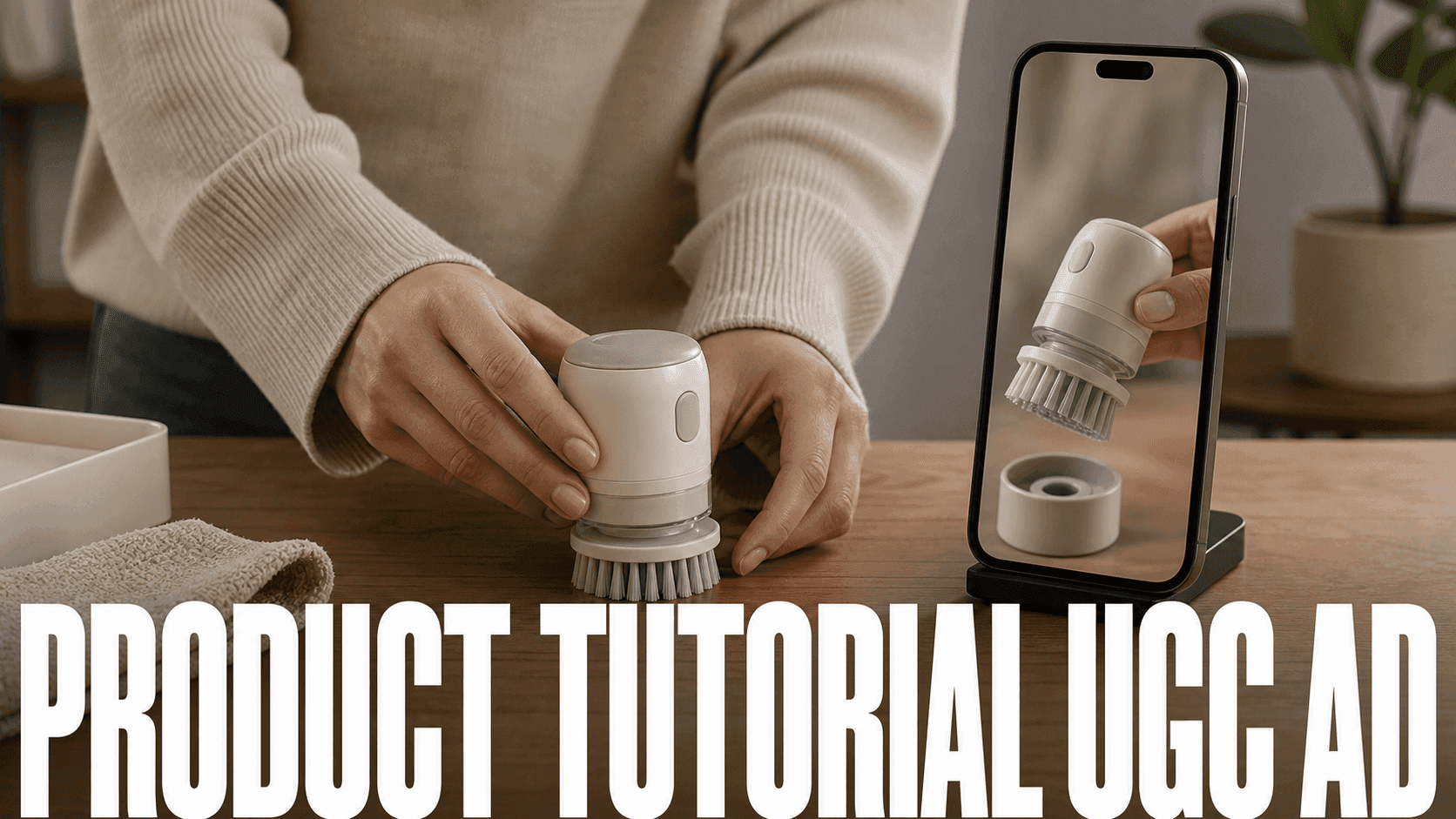
Create a product tutorial UGC ad by teaching one action and ending on visible proof. I’d treat it as a tiny tutorial with a product inside it—not an ad with three rushed instructions. The avatar, captions, and camera move are supporting choices.
My rule is one claim, one action, one proof frame. If the viewer cannot understand the product with the sound off, I simplify the demonstration before adding more copy.
Start With A Mini Product Research Brief
Do this before prompts. A product tutorial UGC ad needs a reason to exist, not just a good-looking product shot.
Fill this out in five lines:
Buyer: [specific audience]
Pain: [daily problem they already recognise]
Tutorial promise: [one action the video will teach]
Proof shot: [visual frame that makes the result believable]
Hook test: [problem hook] / [result hook]
Example:
Buyer: Remote workers filming desk setup content.
Pain: Charging cables fall behind the desk.
Tutorial promise: Set up a cleaner desk in three steps.
Proof shot: Before/after desk surface with the product visible.
Hook test: "If your desk cables disappear every morning..." / "This keeps my charger in reach all day."
Use this mini brief as the filter for every prompt. If a shot does not support the brief, skip it.
Choose One Tutorial Promise
Write the ad around one outcome:
- "How to use this before a workout."
- "How to pack this in ten seconds."
- "How to fix this common skincare mistake."
- "How to style this jacket three ways."
Keep the promise small. A clear tutorial is easier to watch than a full product pitch.
Create Product Demo Visuals
Use Multi-Model Image Generator & Editor to clean the product photo or place it in a use-case scene.
Prompt:
Reference edit for a vertical product tutorial still, 9:16. Use the uploaded product photo as the product identity reference. Place the same product centered on a simple table with the label facing camera, soft studio light from the left, one hand pointing near the product without covering the label, and empty space above for captions added later. Ecommerce UGC style, clean creator-demo setup. Keep product shape, color, label layout, packaging material, cap, and table surface unchanged. No generated words, no fake logo, no warped hand, no product deformation.
Animate The Product Beat
Use Image to Video with Seedance 2.0 for product motion:
Image-to-video, 5s, 9:16. Use the uploaded product tutorial still as the first frame. Motion: slow camera push; the hand points once near the product, then holds steady; product stays centered and label remains visible. Clean creator-demo pacing, soft studio light, subtle table shadow movement only. Keep product label, packaging, color, cap, table, and background unchanged. No generated text, no watermark, no fake logo, no product deformation, no label distortion.
Add A Presenter If Needed
Use Talking Avatar when the ad needs a person, mascot, pet, or brand character explaining the product.
Script template:
Hook: I use this when I need [specific result].
Step 1: [First action].
Step 2: [Second action].
Step 3: [Result].
CTA: Try it if you want [benefit].
Change One Variable Per Variant
I use the same approved product asset and isolate the reason each version exists. Otherwise, a “three-variant test” becomes three unrelated ads and teaches me very little.
| Variant | Only change | Question it answers |
|---|---|---|
| A | The opening hook | Which problem earns the first two seconds? |
| B | Presenter versus hands-only demo | Does a face help or distract from the action? |
| C | The proof frame | Which visual makes the benefit easiest to believe? |
Before approval, I check that the label is readable, the shape is unchanged, the action works while muted, and the proof is visible without an unsupported claim. If a late background detail wobbles, I may trim it. If the label, silhouette, or hand interaction fails during the core demonstration, I regenerate.
For a packaging-heavy product, I borrow the checks from the product-packaging ad workflow. A hands-only or faceless version can follow the faceless product-explainer workflow. For still creation and cleanup, use DomoAI Text to Image before the existing image-editing step, then finish approved exports with Video Upscaler.
Make Variants
Create three ad variants:
- Problem-first.
- Tutorial-first.
- Result-first.
Keep the same product visuals. Change the hook and opening caption.
Use Reaction First, Then Demo
A product tutorial ad can open with a human reaction, but it should not stay there too long. The best structure is reaction, product, tutorial, proof.
Use this order when the product needs personality:
- Reaction line: "I kept losing this cable behind my desk."
- Product reveal: show the organizer clearly.
- Tutorial step: show where it clips or sits.
- Proof frame: show the cleaner setup.
Use this order when the product is self-explanatory:
- Problem close-up.
- Product action.
- Result frame.
- Caption CTA.
This decision also tells you whether to use an avatar. If the product action is obvious, hands and captions may feel more believable than a talking presenter.
Add A Creator-Style Voice
Write in plain creator-style language, but do not imply personal use, results, or a real customer testimonial unless those claims are true and documented. An AI avatar should present demonstrable product facts or act as a clearly identified brand or fictional spokesperson.
Stiff:
This innovative product provides a solution for users seeking improved organization.
Better:
I keep this in my bag because my cables always turn into a knot by lunchtime.
Use "I" or "you" naturally. Name the exact problem. Then show the product solving it.
Product Tutorial Prompt Pack
Use these as a starting set:
Product setup still: Reference edit, 9:16 vertical. Use the uploaded product photo as the identity reference. Product centered on a simple desk, label facing camera, one hand pointing near the product without covering the label, soft daylight from the side, empty top space for captions added later, UGC ad style. Keep product color, label layout, shape, cap, packaging material, and desk surface unchanged. No generated words, no fake logo, no distorted hand.
Demo motion: Image-to-video, 5s, 9:16. Use the product tutorial frame as the first frame. The hand picks up the product once and places it beside the item it solves; slow camera push; clean creator-demo pace. Keep product label, shape, color, cap, packaging material, desk surface, and background unchanged. No generated text, no watermark, no product deformation, no unreadable label distortion.
Result frame: Reference edit, 9:16 vertical. Show the same product neatly in final use, clean background, natural light, product label visible, and empty side space for CTA text added later in editing. Keep product shape, color, label, packaging, and scale unchanged. No generated words, no fake logo, no new product parts.
Keep The UGC-Style Script Honest
Do not invent a personal experience, customer result, or testimonial for an AI presenter. Use verified product facts, show claims the video can demonstrate, and disclose material brand relationships or synthetic presentation where required. A creator-style format can feel direct without pretending that a fictional presenter used the product.
What Makes The Ad Usable
Before exporting, check:
- The product is visible in the first three seconds.
- The script teaches one use.
- The caption text can fit without covering the product.
- The result frame shows a real payoff.
- The CTA is short and specific.
If any of these fail, revise the shot list before generating more variants.
Shot List Example
Here is a simple 20-second product tutorial ad for a desk organizer:
| Time | Shot | Purpose |
|---|---|---|
| 0-2s | Messy desk close-up | Shows the problem quickly |
| 2-5s | Product held near the desk | Introduces the product |
| 5-10s | Cable routing demo | Teaches the main action |
| 10-15s | Clean result frame | Shows the payoff |
| 15-20s | Presenter or caption CTA | Gives the viewer one next step |
Each shot should have its own prompt and asset. Do not try to make one generated clip cover the whole ad. Short clips are easier to approve, easier to replace, and easier to cut into several hook variants.
Editing Notes
Keep the final edit tight. Tutorial ads lose attention when the viewer has to wait for the product to appear. Show the problem and product in the first three seconds, then move into the steps.
Use captions like an instruction layer:
Step 1: Clip the charger behind the desk.
Step 2: Route the laptop cable through the side.
Step 3: Keep one short cable loose for daily charging.
Add proof with a final frame, not a long claim. "Cleaner desk in 20 seconds" is easier to support visually than a broad promise. If the product category needs careful claims, keep the copy descriptive and avoid results that the video cannot show.
What To Regenerate
When a version fails, replace the smallest broken part:
- If the hook is weak, rewrite the first caption and voice line.
- If the product warps, fix the still and rerun that one motion shot.
- If the tutorial is unclear, add a hand gesture or before/after setup.
- If the ad feels slow, shorten the setup and move the proof frame earlier.
- If the presenter distracts, remove the avatar from the middle and use product clips.
This keeps production moving. A product tutorial ad is built from modular pieces, so the best workflow is to approve one piece at a time.
Example Ad Brief
Use this mini brief before generating:
Product: Magnetic cable organizer.
Audience: Desk setup creators and remote workers.
Problem: Cables fall behind the desk and look messy on video calls.
Tutorial promise: Set up a cleaner desk in three steps.
Proof shot: Before/after desk surface with the product visible.
CTA: Try this layout before your next desk reset.
The brief keeps the ad grounded. It tells you what to show, what to skip, and what the viewer should remember. If the prompt does not support the brief, rewrite the prompt before generating more clips.
Review The Ad Without Sound
Before publishing, watch the edit muted. A product tutorial UGC ad should still make sense from visuals and captions alone. The viewer should see the problem, product, steps, result, and CTA without needing the voiceover.
If the muted version is confusing, add clearer step captions, move the product earlier, or create a new proof frame. Sound can add personality, but it should not carry the entire explanation.
When To Use An Avatar
Use a presenter or Talking Avatar when the product needs explanation, trust, or a human hook. Skip the avatar when the product demonstration is obvious on its own. A cable organizer, makeup tool, or kitchen gadget often needs only hands, captions, and a proof shot. A software-style product, educational offer, or character-led brand may benefit from a short avatar intro.
If you use an avatar, keep it short. Let the avatar introduce the problem, then cut to the product demo quickly.
For hands-only demos, write the caption track first. The hands should show the action; the captions should explain the step. This keeps the ad useful for muted viewers.
For a related faceless format, Product Explainer Video Without Showing Your Face can turn the same product demo into an explainer. For campaign planning, map the finished tutorial to AI Ads Solution so each version has a hook, audience, proof shot, and CTA.
Fix The Product Demo Before Export
If the edit feels weak, diagnose the product layer first. A clear demo usually matters more than a louder hook.
The ad feels fake
Make the script more specific. Name one product use and one realistic viewer problem.
The product changes shape
Fix the still first. Add product shape, label, and packaging to every motion prompt.
If this keeps happening, use How to Make AI Product Videos Without Warping the Product before creating more variants.
The avatar talks too long
Cut the script. Use the avatar for the hook and instructions, then show product clips.
The product demo is hard to understand
Add one clear hand gesture or one before/after setup. Do not rely on narration alone.
FAQ
Can AI create a product tutorial ad?
Yes. Use AI to create product visuals, animate demo shots, and add an avatar or caption layer.
Do I need a product video first?
No. A clear product photo is enough to start.
What makes it feel like UGC?
A specific problem, plain language, short tutorial steps, and a creator-style hook.
How many variants should I make?
Start with three: problem-first, tutorial-first, and result-first.
Start with one product photo and one tutorial promise.


