

Today, anyone can piece together multiple shots in minutes on a desktop or mobile device, thanks to AI video editing tools.
In minutes, you can generate sharp, polished videos by changing the background, removing fillers, cloning your voice, or even improving your footage's visuals with a text prompt.
Ready to learn how to use AI to edit videos? Our blog takes a deep dive into the process while providing a breakdown of the top 8 video editors to consider.
TL;DR - How to Use AI to Edit Videos
Here’s a quick peek at how to use AI for video editing:
- Choose a video editing platform
- Organize your workspace
- Customize your AI video
- Upload your video
- Refine your video
- Customize your video
- Preview, export, and share your video
What AI Video Editing Actually Does?
For starters, video editing involves enhancing existing footage to produce a new one.
Here is how it works:
- Once you upload your footage, the AI editor analyzes it and automatically adjusts color, brightness, and contrast to improve its visual quality.
- Identifies the footage's key moments and trims all the unwanted segments.
- Splits the scenes based on your preferences
- Removes background noise to improve the audio quality of the footage.
- Tracks faces in the footage and makes necessary adjustments to highlight the desired facial features and expressions.
- Adds captions and texts to your footage,
Core AI Video Editing Capabilities
Let's see the impressive suite of AI quick apps that address most aspects of video post-production:
- Auto-cutting and Trimming: They automatically detect key moments in your footage, remove unwanted silences, and shaky fragments from your clips.
- Auto-Captioning and Subtitles: AI editing tools speed up caption and subtitle generation while maintaining accuracy. Besides, it translates your captions into different languages, making your content more accessible to a global audience.
- Scene Detection and Segmentation: AI video editors can identify the editing points between various scenes in your video and split it into segments. By analyzing clips, visuals, and audio, AI can determine where one scene ends and another begins.
- Objects and Face Tracking: AI helps adjust the movement of objects or your character's facial features to create dynamic visuals that grab your audience's attention. It can apply visual effects, either altering facial features or adding digital makeup.
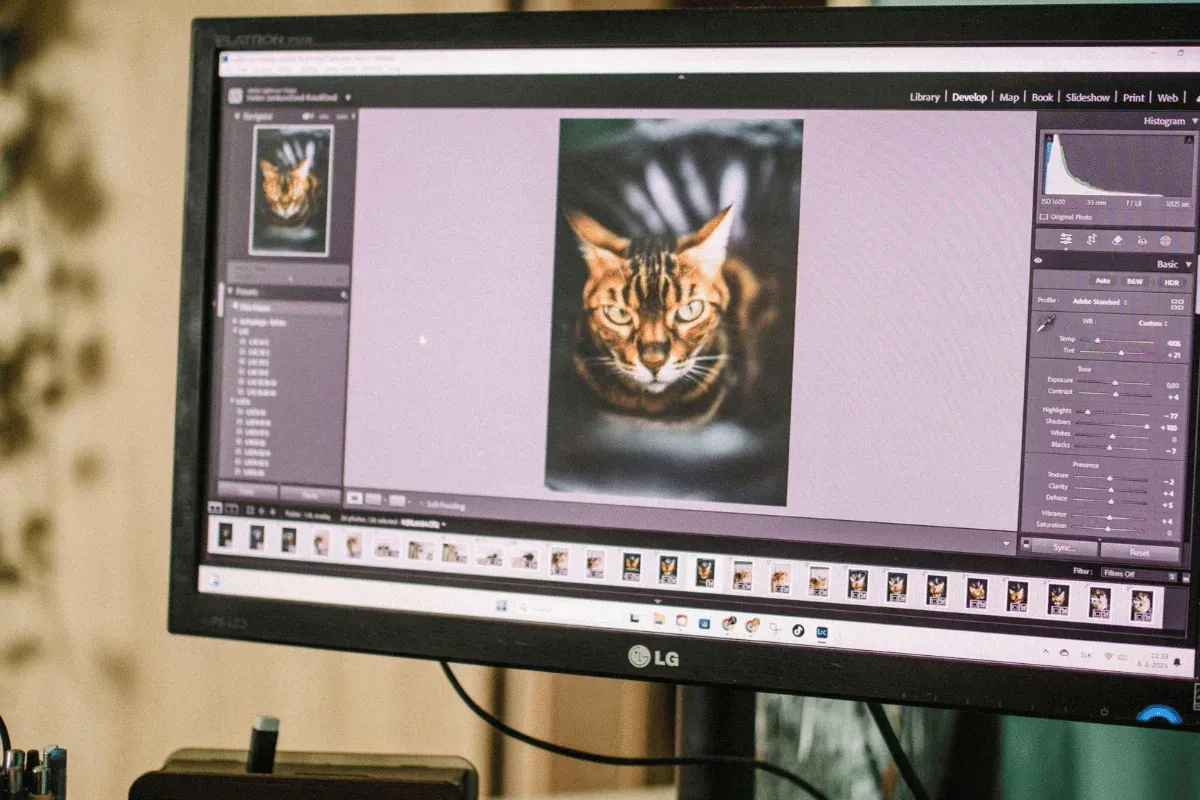
- Color Correction and Grading: AI color correction ensures your footage's colors look natural, while AI color grading adjusts colors to achieve a specific mood or style.
- Background Removal and Object Removal: With AI video editing, you can automatically identify and isolate each subject from the background of your footage. You can then either erase it or replace it with your desired look.
- Voice and audio enhancement: Just as in visuals, AI improves the sound quality of your videos by balancing audio levels, reducing background noise, and enhancing clarity.
- Video Stabilization: Some advanced AI video editing tools can stabilize even the shakiest footage, especially drone footage.
- Upscaling and Restoring: Do you have old, low-quality videos? You can use AI to improve their visual quality and enhance it to 2K or 4K resolution.
Current AI Video Editing Limitations to Understand
Despite the exciting advancements in video editing, AI has its share of limitations.
Check them out:
- Less Creativity and Emotional Connection: AI does not understand the aspects of emotional triggers that boost content impact. It also lacks creativity and originality, as it extracts insights from vast amounts of online content and generates results.
- Superficial Understanding of Branding: AI cannot automatically reflect your unique brand style unless specifically trained. You might have to fix your visuals to match your font and color. Tweak the layouts to your style and also match the footage to your brand’s tone.
- Limited Variety: Some AI video editors lack diversity, whether stylistic, cultural, or social, and then your videos will reflect that.

How to Choose the Right AI Video Editor for Your Needs
When choosing your AI video editing tool, go with one that aligns with your brand, integrates seamlessly with your existing workflows, and scales effortlessly.
Let’s dive into what you need to look out for:
Define Your Content Type
Determine the type of content you’ll be creating, whether it’s short or long-form clips, tutorials, or marketing campaigns. You can then decide if your tool should have basic or advanced editing features.
For instance, as a content marketer, you want a tool to personalize your content, generate accurate captions for your videos, and add your voiceover.
Consider the Ease of Use
While most AI-video editing platforms offer intuitive interfaces, a few have complex interfaces. So, assess your skill level and choose a tool that is feature-focused and easy for you to navigate.
Look for drag-and-drop functionality, an innovative preview feature, and real-time collaboration.
Check the Integration Capabilities
Your AI tool should seamlessly integrate with the tools you use to maximize your productivity.
It should connect with social media to streamline your video-sharing process. So, choose an editor with direct upload capabilities to your preferred channels. To create a personalized customer experience, ensure it integrates seamlessly with your Customer Relationship Management (CRM).
For easy collaboration, choose one that supports cloud-based editing and enhances your workflow.
Evaluate the Core Features
Look for a tool that offers editorial control and prioritized brand consistency.
Check if it automates tasks such as video enhancement, transitions, and audio editing. It should also include pre-built media assets, such as customizable templates or sound effects.
Also, see how much control your AI editor offers and if you can add a creative touch to your content. Consider the rendering speed so you can edit your videos quickly with minimal effort.
Calculate the Costs
Some platforms offer a monthly subscription payment plan, while others have a one-time payment.
Regardless of the option, you need a tool that aligns with your needs and offers features worth the cost. The good news is that most tools offer a free trial, allowing you to experiment before committing to a payment.
Assess the Scalability
Remember, your editing needs will evolve. Therefore, choose an AI video editor that can support your audience growth.
Not one that will force you to switch to an alternative when you start expanding to different channels or grow your brand's reach. It should also adapt to the complexities of your projects through advanced features.
Evaluate the Customer Support
Also, it should offer live chat or phone support to help you resolve issues more quickly.
Prioritize platforms with extensive online resources, such as forums and tutorials, or community-driven support, or both. They can help improve your editing experience.
Best AI Video Editors to Choose From
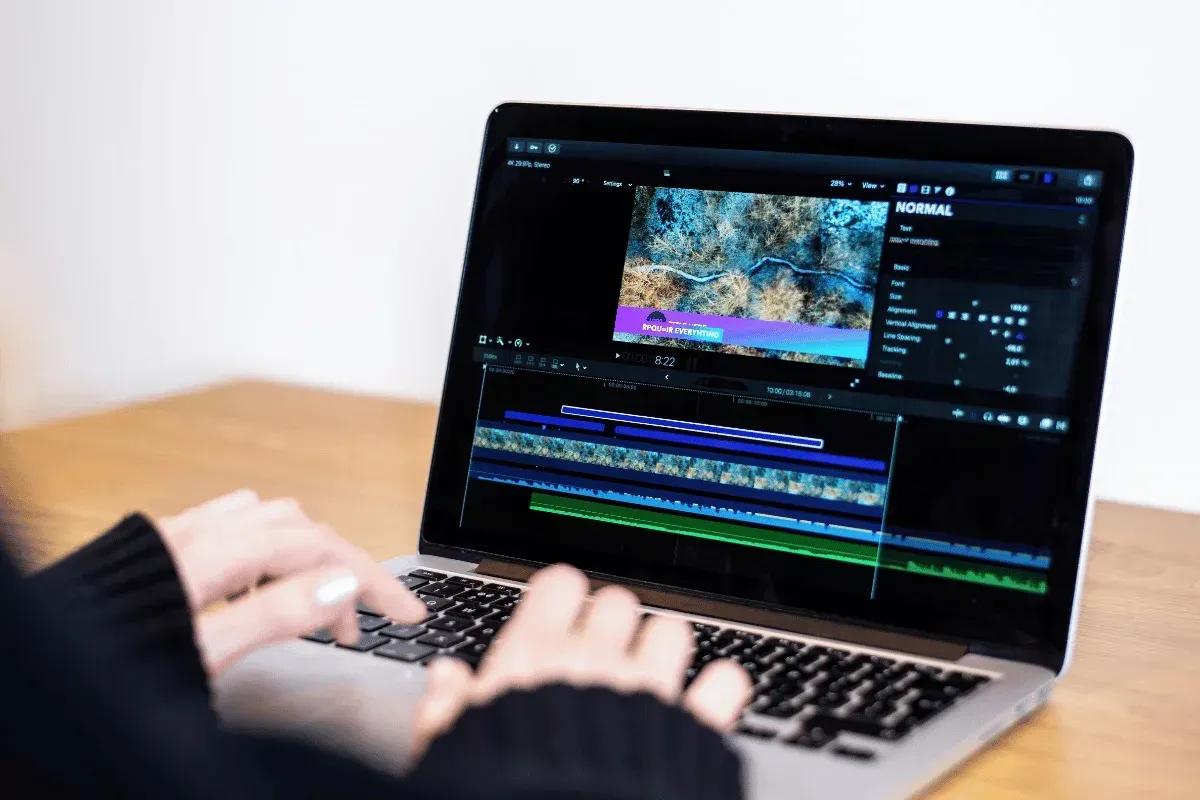
Here is the thing: even the best AI tools for video editing are not created equal. Some are great for long videos, while others are better for marketers.
Here's a breakdown of 6 tools, categorized by their best use case:
| Tool | Key Editing Features | Pricing | Best For |
|---|---|---|---|
| DomoAI | - Video upscalling to enhance your footage - Background removal to remove unwanted scenes - Automated lip-sync matches audio to lip movement - AI video style transfer with 30+ unique styles | Basic plan starts at $6.99/month | Marketing agencies or anyone creating repurposed content |
| Veed.io | - AI translate-125+ languages - Magic cut to auto-edits clips - Filler word remover - AI voice cloning and self-cloning | Plans start at $9/ 9/month | Businesses or marketers looking for a user-friendly platform with a free plan |
| Adobe Premiere Pro | - 4K generative extends to add extra frames to lengthen your existing clips - Text-based editing to edit videos through a transcript - Audio remix to extend or reduce your video's background music - Scene edit detection to automatically identify cut points in footage - Media Intelligence to find anything using every language - Morp Cut to ensure clips flow smoothly from one to the other | Individual packages start at $22.99/month, and corporate packages start at $ 37.99/month | Corporate teams, professionals in video production, and anyone working on complex or long-form videos. |
| Pictory | - Auto video summarizer for long videos and extract key moments - Extensive library of stock visuals - Highlight automation - Brand presets and templates | Starter plan starts at $25/ month | YouTubers, social media managers, businesses, and anyone who wants short-form videos without a camera. |
| Descript | - Overdub enables voice cloning for correcting audio - Filler word remover to identify and remove filler words automatically - Studio sound to enhance the audio quality - Edit your videos like editing text | Plans start at $16 per person (10 hours) | Podcasters, audio enthusiasts, or anyone who creates video content that involves lengthy talks. |
| Capcut | - Video trim and split- removes the unnecessary segments - Library of music and sound effects- adds extra sound touch - Background removal- change the background - Image edits- modify visual appearance | Pro plan is at $9.99/monthly | Individuals looking to edit their video content on iOS or Android |
Among our list of editing tools, DomoAI provides effortless video editing.
For screen-recorded tutorials and meeting recaps, ScreenApp lets you record, transcribe, and quickly clip key moments from your videos without a complicated timeline.
You can animate a still photo or create a talking avatar that lip-syncs with your footage. Unlike competitors who cap videos at 1080p, you can enhance your videos to 2K/4K resolution. Besides, you can style your video from over 30+ styles, including anime.
So, why wait? Animate and edit your first video with DomoAI in minutes.
How to Edit Videos with AI - Step-by-Step Process
Once you’ve chosen your tool of choice, it’s time to transform your videos.
Follow this step-by-step guide to get started:
Step 1: Choose a Video Editing Platform
Consider the platforms we’ve explored above. Choose a tool that is easy to use and packed with editing features that you want.
The platform of choice should have a clean interface and support drag-and-drop. Moreover, they let you tweak the audio and visual aspects of your video easily.
Step 2: Organize Your Workspace
To stay efficient and focused, your videos and audio files should be saved and well-labelled.
That way, you won’t have to scroll through piles of folders searching for the footage you need to edit.
Step 3: Customize Your AI Video
Most AI-powered editing tools allow you to customize them to your brand. You can add your logo, change the color, and the font to your preferences.
Adjust the layout to make it more intuitive. Also, identify the features you'll use during your editing, and, if the platform allows, reposition them to make them easily accessible.
Step 4: Upload Your Video
You can either drag and drop your clip into the editing platform or upload it, or, if you want a fresh clip, then record directly from your camera.
Be clear on the message the video should deliver, the target audience, and the tone and style you envision.
Step 5: Refine Your Video
Once you have your footage, your AI video editor will analyze it and recommend edits.
Review the suggestions, and if you are okay with what the tool suggests, allow it to make the adjustments.
Step 6: Customize Your Video (optional)
Here, you enhance the video to ensure it aligns with your intended goal. You can select the style, target audience, video length, and visual effects from the platform's library.
Alternatively, you can tailor these by entering a text prompt. AI will then customize the specific elements of your video based on your prompt.
Step 7: Preview, Export, and Share Your Video
You want to be sure everything is okay before exporting your video. Look for the play/preview icon on your editing platform and click play.
Select your desired supported resolution output, name your video, and download it or share it on your channels.
Remember that this might take a few minutes depending on your video's output quality and length.

Advanced AI Video Editing Techniques that Work
Now that you have learned the basics, you can elevate your creativity with these advanced techniques:
- Multi-cam editing: Multi-cam means multiple cameras. Here, the AI editor analyzes live events, such as sports games or TV shows, from numerous cameras to speed up the editing process. It uses an audio waveform to align the video clips. It also tracks the speaker's audio across the various cameras and uses the lip-sync feature to match it. Also, it cross-matches the best shot and the perfect angle across a series of events.
- Batch Video Editing: Here, AI edits are applied to multiple files simultaneously. It ensures consistency and saves you a ton of time. Often works on series content or videos with various episodes.
- Revolutionizing B-Roll Integration: Advanced AI video editing tools go beyond generating 'just’ B-roll footage. They can now customize the B-roll footage to integrate with your primary content seamlessly. All you need to upload the main video, and AI will analyze its visual style, tone, and narrative structure. It’ll then generate a relevant B-roll in seconds.
- Voice Cloning for Corrections: AI video editors can now produce voice-overs or natural dubbing. You might have come across videos that sound like characters who have long gone (dead). It’s cloning, one of the crucial innovations in Artificial Intelligence. It helps correct phrases in a video without having to rerecord the session.
- Multiple Content Format: AI video editing tools let you export your videos in various formats without compromising quality. It identifies the key frame for each format requirement.
Frequently Asked Questions (FAQs)
Readers also ask:
Can AI Edit My Videos for Me?
Yes, but depends on its capabilities and what you intend the message to convey.
There are specific tasks that an AI can handle autonomously, and others will require your input. If the content requires an emotional connection with the audience, you will need to set the tone. This can be through the text prompt you set for the oplot or the audio.
What Are The Best AI Tools For Video Content Creation?
The best AI tools for content creation are those that fit into your workflow, elevate your creativity, and give you some level of control.
- For marketers, DomoAI offers a wide range of customizable templates to help maintain brand consistency.
- For social media creators, Capcut offers a user-friendly interface, trendy effects, and tons of free tools.
- For podcasters, Descript is an excellent option as it makes audio editing as easy as editing a document. Besides, they transcribe with high accuracy.
- For corporate-based content, Adobe Premiere Pro and Pictory have advanced editing features and support team collaboration.
How Do I Choose The Best AI For Video Production?
If you want to choose the right AI for video production, you should:
- Define your type of content, whether it’s long-form, short-form, animated avatars, or multi-lingual
- Look for a tool that aligns with your use case, for example, if you’re a marketer, go for DomoAI.
- Evaluate the features to match your workflow and creativity needs
- Test the tool using the trial or free plan
Which AI Tools Can Automatically Edit Videos?
Several AI-powered tools can automatically edit your videos. For instance:
- DomoAI can automatically change the style and erase unwanted background.
- Adobe Premiere Pro can automatically remove unwanted objects, add extra frames to your footage, change the background, improve audio quality, and remove filler words.
- Pictory can automatically convert your long video, blog post, or script into a short-form clip and add captions and voiceovers.
- Descript can remove filler words, clone your voice, and automatically add captions.
How Effective Is Artificial Intelligence In Video Editing?
AI is very effective at automating video editing, but only for selective, repetitive tasks.
It’s been trained on noise reduction, transcription, silence and filler removal, and voice cloning. However, it struggles mostly with emotionally based instructions or prompts that require a manipulative approach.
What is the Difference Between Manual and AI Video Editing?
AI video editing uses generative technology to automatically analyze footage, stitch it together, and fine-tune the color, audio, and overall quality of the final output.
In contrast, manual editing involves human editors using computerized machines to cut, trim, edit, and modify footage.
Are AI Video Editors Suitable For Professional Video Production?
Yes, they come in as assistants, and not to replace human creativity. They help speed up mechanical tasks in the production process, such as transcribing videos and handling multi-cam edits. They also improve the output quality of your videos.
In short, these AI editing video tools handle all the heavy lifting in your video production, leaving you and your team time to focus on the creative aspects.
Conclusion
AI video editors help you deliver polished, professional videos in a few minutes. You can use AI for transcriptions, removal of verbal tics and background noise, captions, and voice cloning. You can use AI editors to automate repetitive tasks and speed up content creation.
Looking to breathe new life into your existing video? Get DomoAI.
Our tool offers sharper, polished visuals. You can transfer style across your footage and upscale your video to 2K/4K. The best part? You can get full ownership of your AI videos and utmost security when working with our AI video editing tool.
Turn raw footage into polished, professional videos in minutes.


