
Nano Banana 2.1 and Nano Banana 2 performed similarly on several straightforward tasks in our internal tests. The differences became more useful when an image had to satisfy several requirements at once: change a headline without adding decoration, preserve a room while inserting a person, or combine characters with a specific layout and style.
Across 13 tasks, we generated two outputs per model using the same prompts and reference images. Nano Banana 2.1 met more requirements in our illustrated journal-poster example. It also missed a cup in both six-character group scenes. Nano Banana 2 remained competitive in simple edits and product composites.
Here is what those differences looked like, and how they can help you choose which model to try for your own images.
What we tested
We tested 13 tasks, from product edits and poster text to multi-character compositions. Each model generated two images per task, giving us 52 images to compare.
Both models used the same prompts, reference images, upload order, aspect ratio, and 2K setting. We kept both attempts without retouching or replacing results. The tests used Chinese prompts; English translations are included below.
These test results are for reference only. Results may vary with your prompts, reference images, and settings.
The results across all 13 tasks
| Task | Nano Banana 2.1 | Nano Banana 2 |
|---|---|---|
| Potter portrait with visible hands | First output met the framing requirements; the far hand was obscured in the second | The far hand was insufficiently visible in both outputs |
| Object count and left–right placement | Correct in both outputs | Correct in both outputs |
| Short Chinese coffee poster | Requested Chinese text was correct in both outputs | Requested Chinese text was correct in both outputs |
| Change only a bottle cap’s color | Both outputs preserved the other areas well | Both outputs preserved the other areas well |
| Place a bottle in a new background | First output contained an ambiguous reflection-like outline; second met the checks | Both outputs met the checks |
| Replace a poster headline | Correct text in both outputs, with slight disturbance to a fine line | First output added an unwanted dot; second met the checks |
| Convert a portrait to watercolor | Facial features became more graphic in both outputs | Facial features became more graphic; first output also omitted a button |
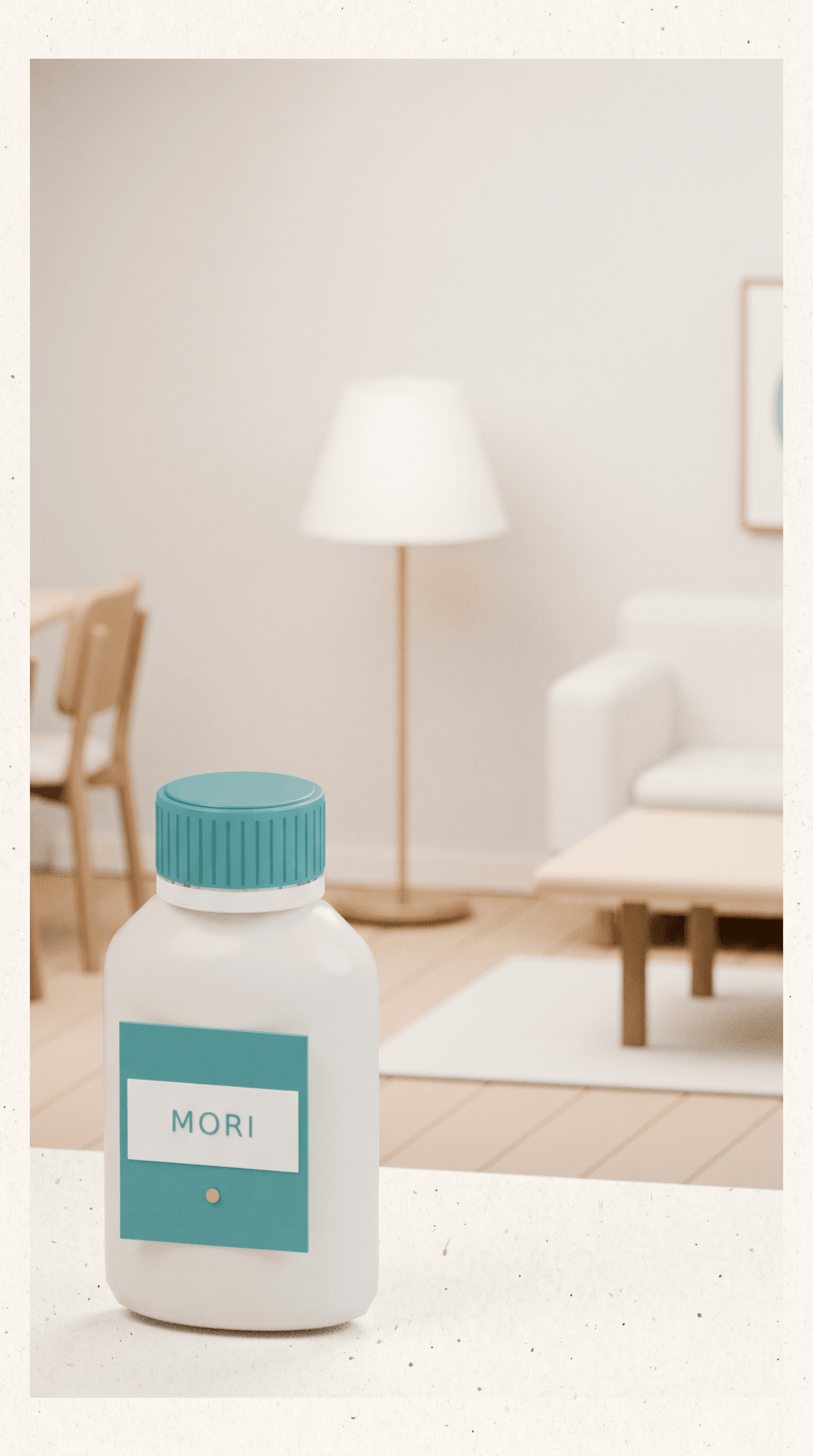
| Combine a product and a room | Product and main room layout preserved in both outputs | Product and main room layout preserved in both outputs |
| Combine a person and a room | Second output added a foreground table | Person appeared too small in both outputs; second also changed the rug |
| Combine four separate objects | Correct objects, order, and attributes in both outputs | Correct objects, order, and attributes in both outputs |
| Assign product, setting, style, and layout to four references | Both outputs copied a prohibited paper border | Both contained ambiguous patches or shapes requiring closer review |
| Six-character tea-party scene | Identities and positions preserved; both outputs had one fewer cup than requested | Identities and positions preserved; extra clothing lettering in both, one fewer cup in the second |
| Three-character journal poster | Five of eight checks fully met in each output | Three and four checks fully met; counting compass letters as part of the icon raises the first result to four |
Several tasks produced little separation. The more informative differences were often outside the main subject: an added dot, a missing button, an extra table, or an accessory copied from the wrong reference.
Local editing: both handled a small color change
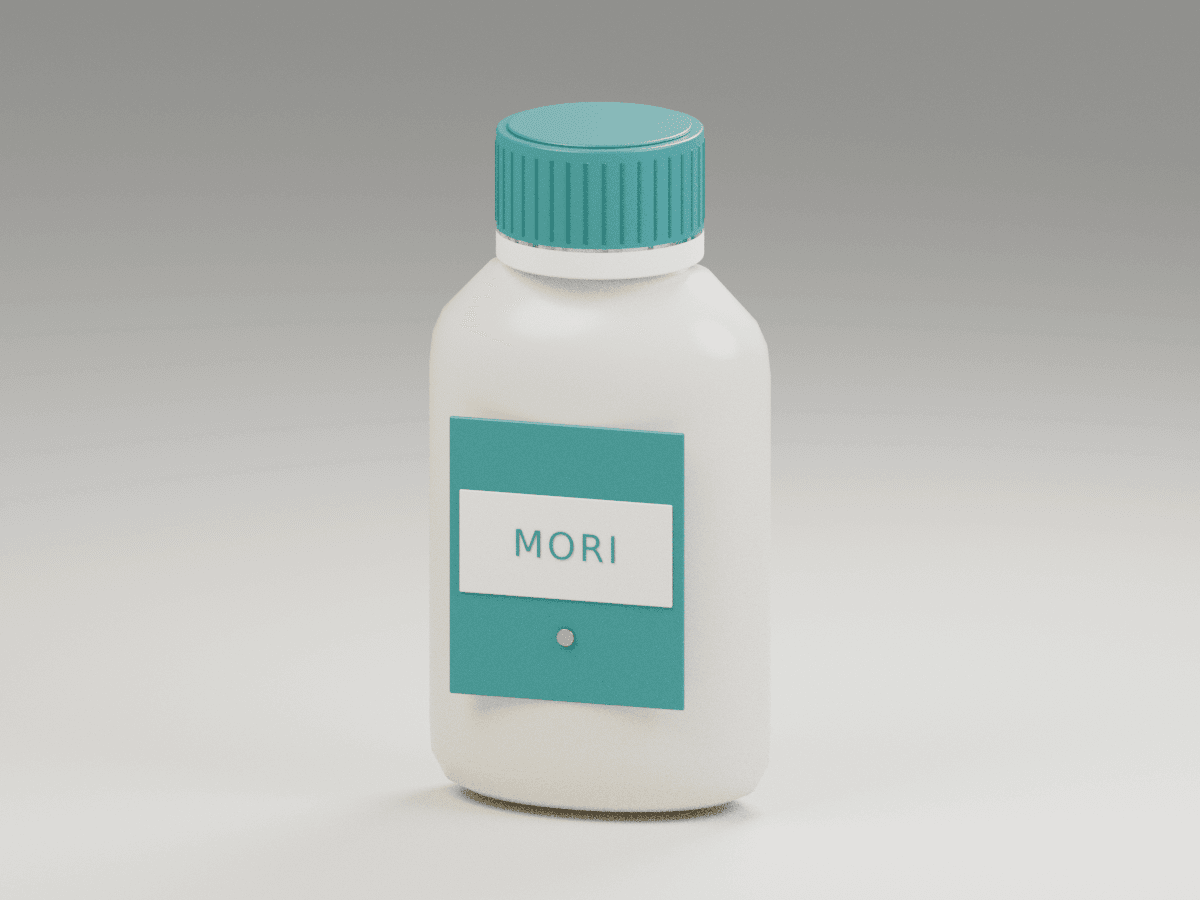
Our bottle-cap test asked for one change: turn the cap matte dark blue while preserving the bottle shape, label, background, composition, and lighting.
Both Nano Banana 2.1 and Nano Banana 2 changed the cap color in both attempts while visually preserving the bottle, label, and background. Either model is a reasonable choice for this kind of simple product edit.
English translation of the test prompt:
Change only the bottle cap in the reference image to matte dark blue. Keep the bottle shape, label text, background, composition, and lighting unchanged. Do not add or remove any objects.For product work, check the label and silhouette alongside the edited area before saving your finished image.
S01 / IMAGE COMPARISON
Reference · original bottle
Nano Banana 2.1 · Attempt 1
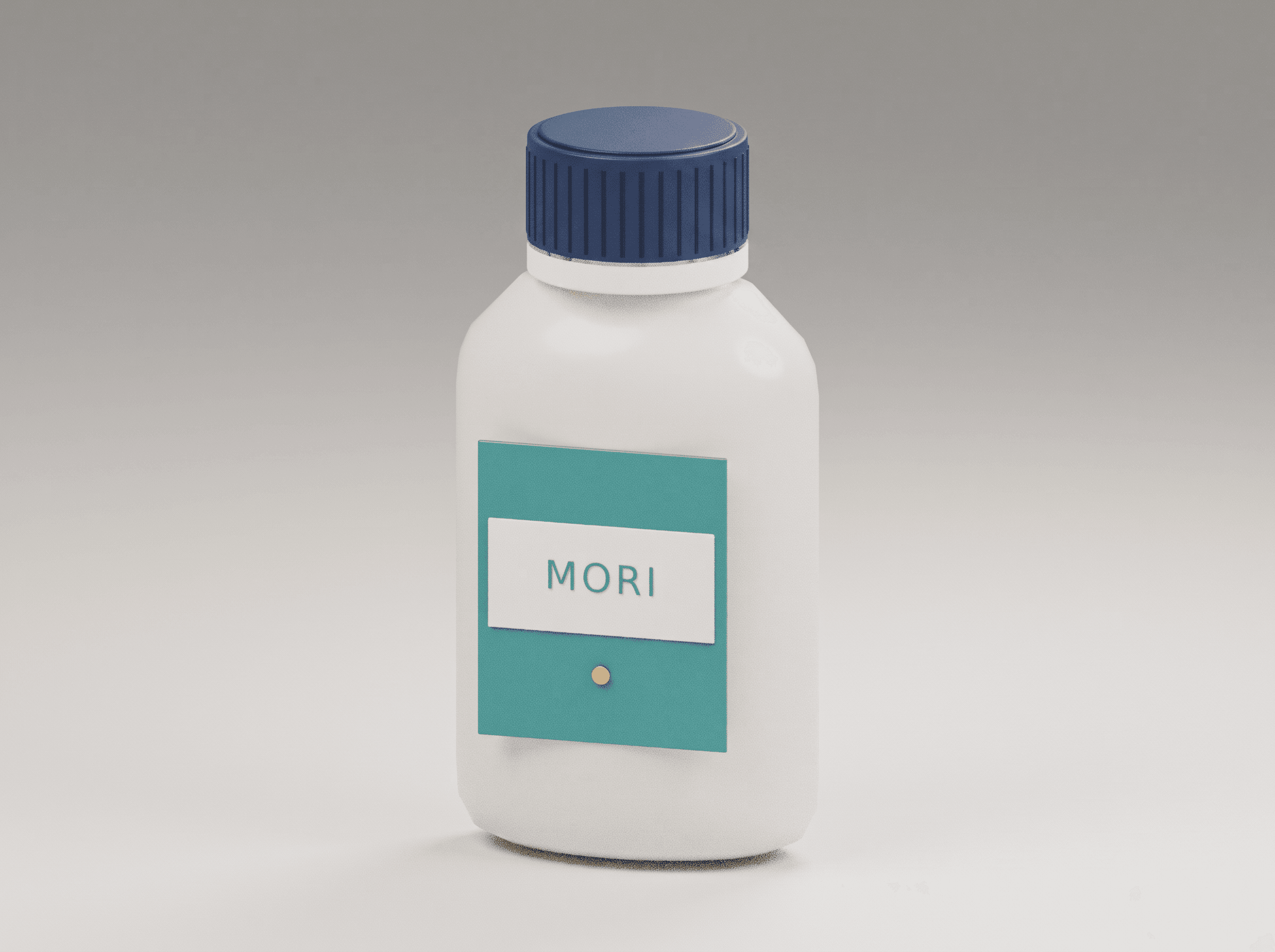
Cap recolored; surrounding areas visually preserved.
Nano Banana 2 · Attempt 1
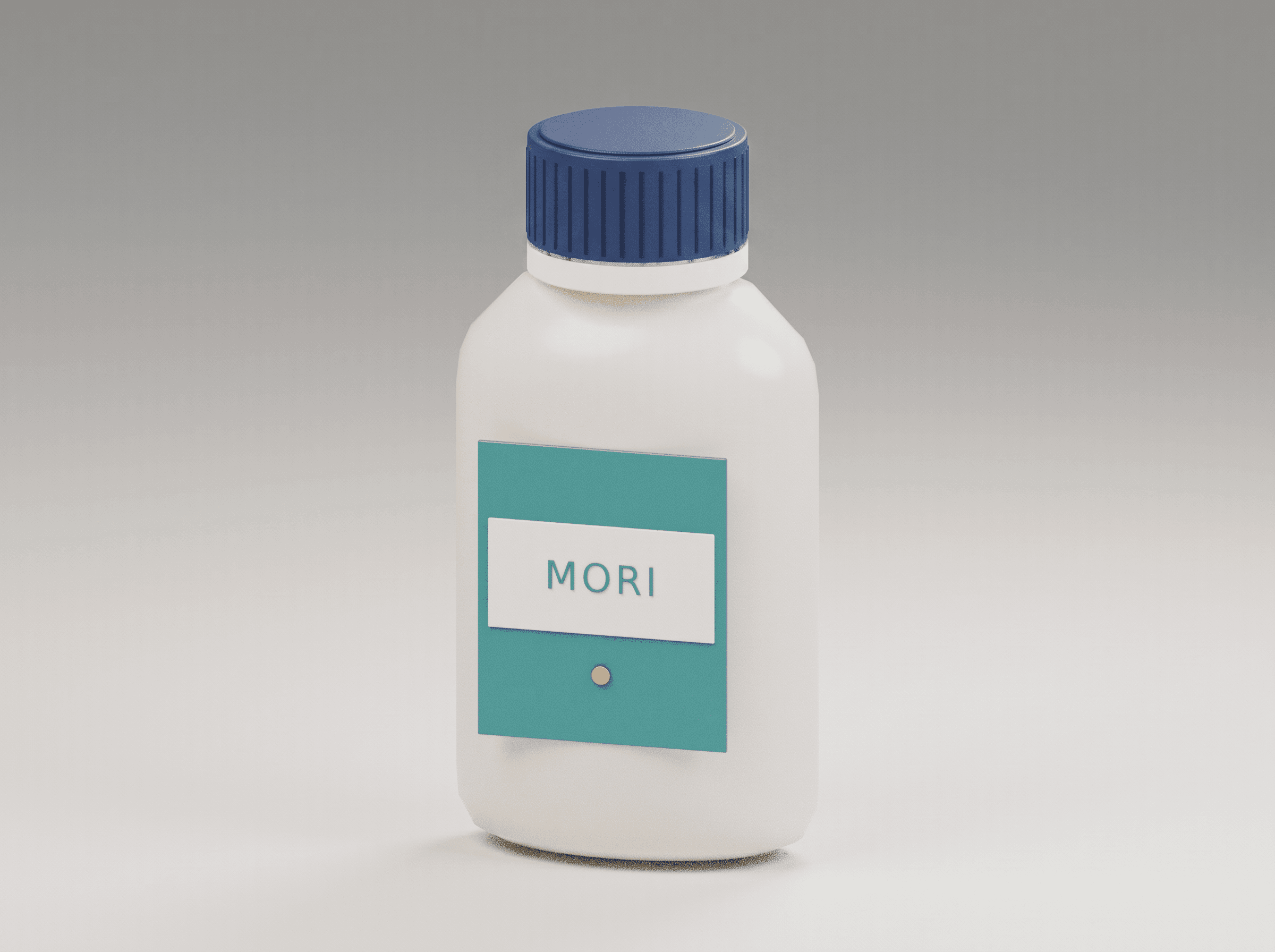
Cap recolored; surrounding areas visually preserved.
Nano Banana 2.1 · Attempt 2
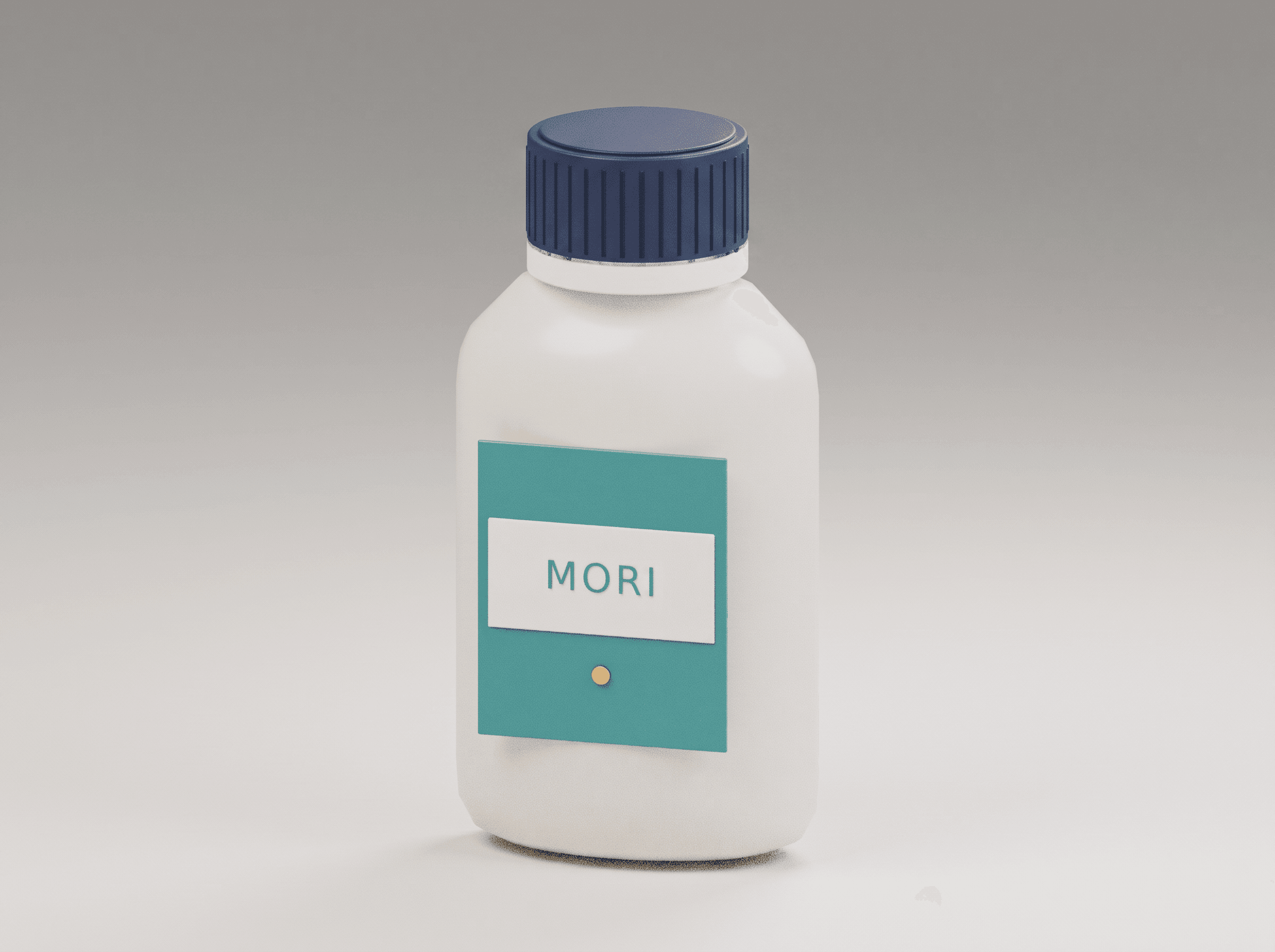
Cap recolored; surrounding areas visually preserved.
Nano Banana 2 · Attempt 2
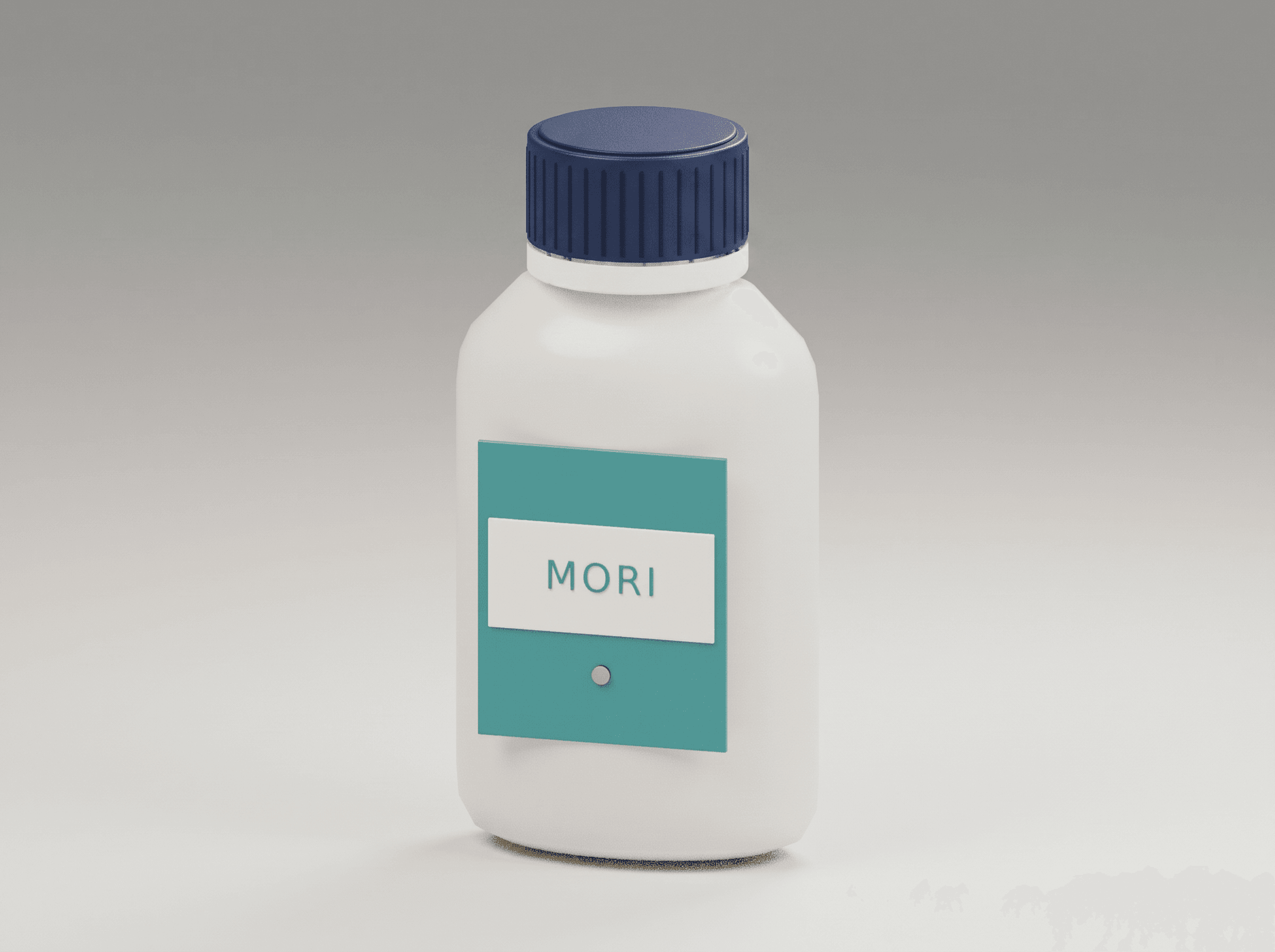
Cap recolored; surrounding areas visually preserved.
Both models recolored the bottle cap in two attempts; inspect the label and surrounding image as well as the cap.
Poster text: the headline was only part of the task
Generating a short coffee poster did not separate the models. Both reproduced the requested Chinese text correctly in both attempts.
Editing an existing poster was more revealing. We asked each model to replace the top headline “春日咖啡” with “周末咖啡,” while keeping the offer “第二杯半价,” cup, background, type style, and layout. The prompt also prohibited new decoration.
Nano Banana 2.1 produced the requested wording in both attempts, with a slight change to a fine decorative line. Nano Banana 2 added a pale blue dot in its first attempt; its second preserved the surrounding design.
English translation of the editing prompt:
Replace only the headline at the top of the poster, changing “春日咖啡” to “周末咖啡”. Keep the bottom text “第二杯半价”, the coffee cup, background, original type style, text positions, and layout unchanged. Do not add any text or decoration.For a similar headline replacement, we recommend starting with 2.1. In this example, both attempts avoided the extra decoration that appeared in Nano Banana 2’s first result. For the simpler task of generating a short poster from scratch, both models performed equally well.
When reviewing a revised poster, check the unchanged offer, nearby rules and lines, background marks, and spacing. The task is complete only when the requested wording and the surrounding design both meet your requirements.
S03 / IMAGE COMPARISON
Reference · original poster
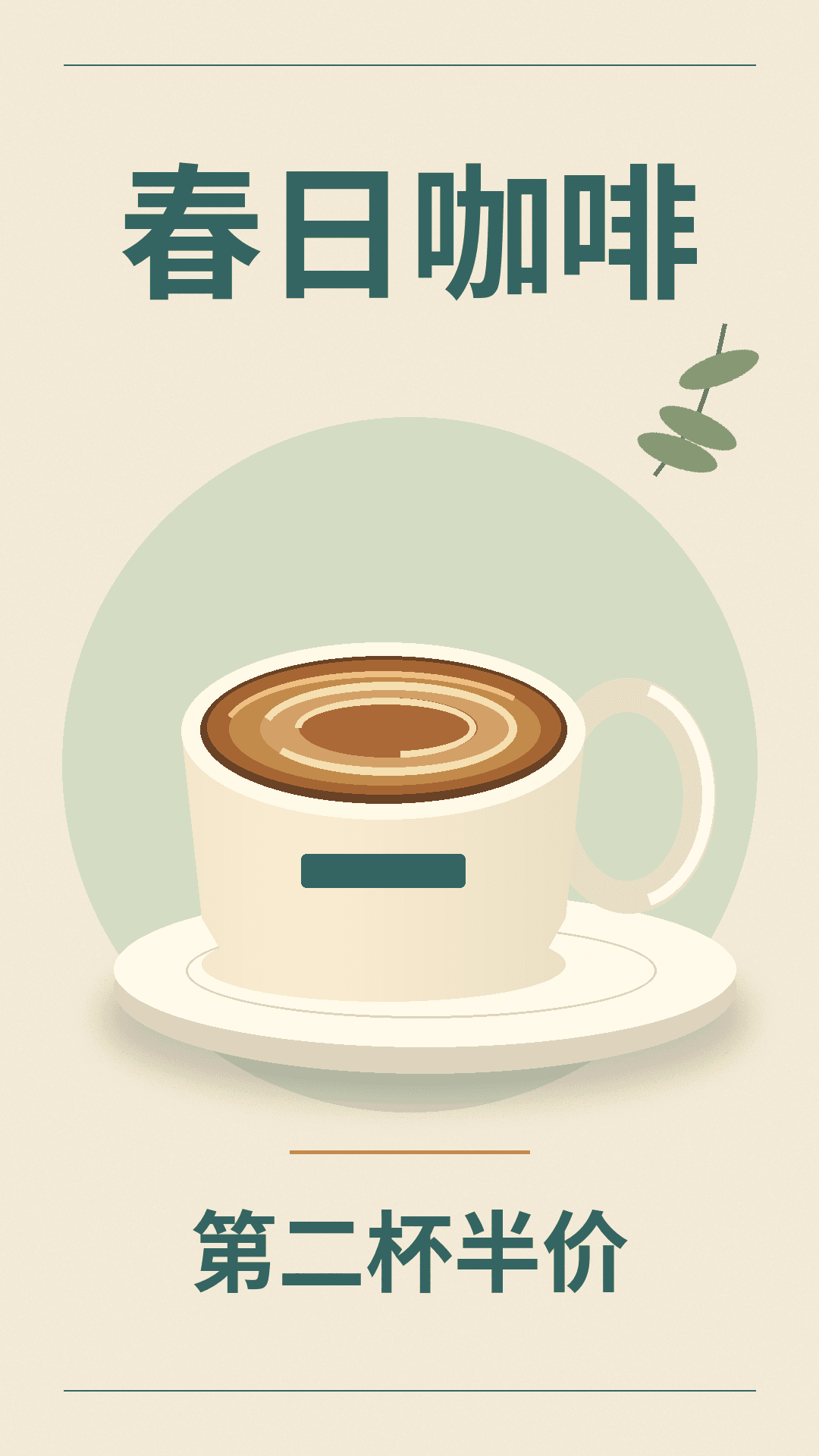
Nano Banana 2.1 · Attempt 1
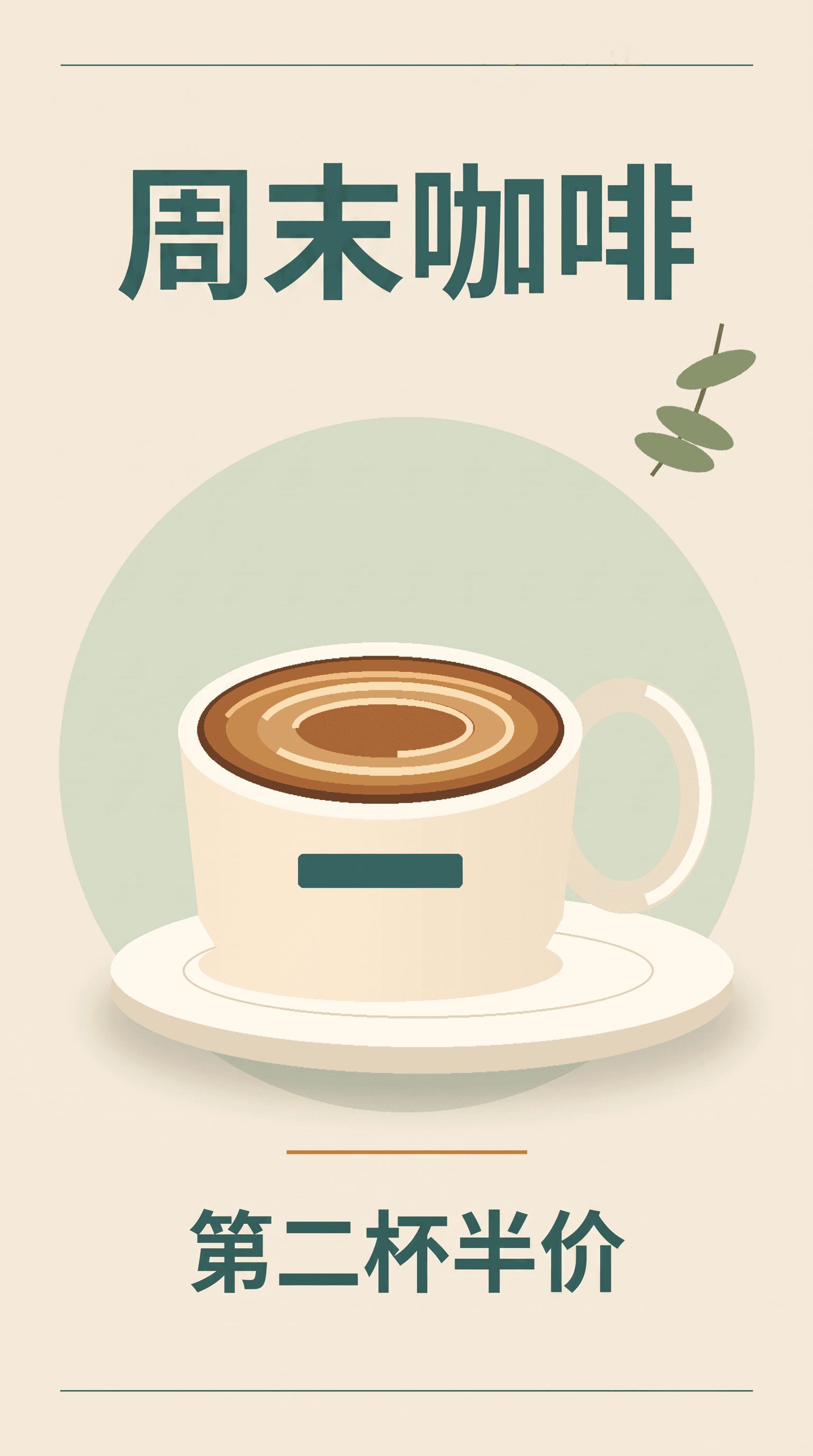
Requested text correct; slight fine-line disturbance.
Nano Banana 2 · Attempt 1
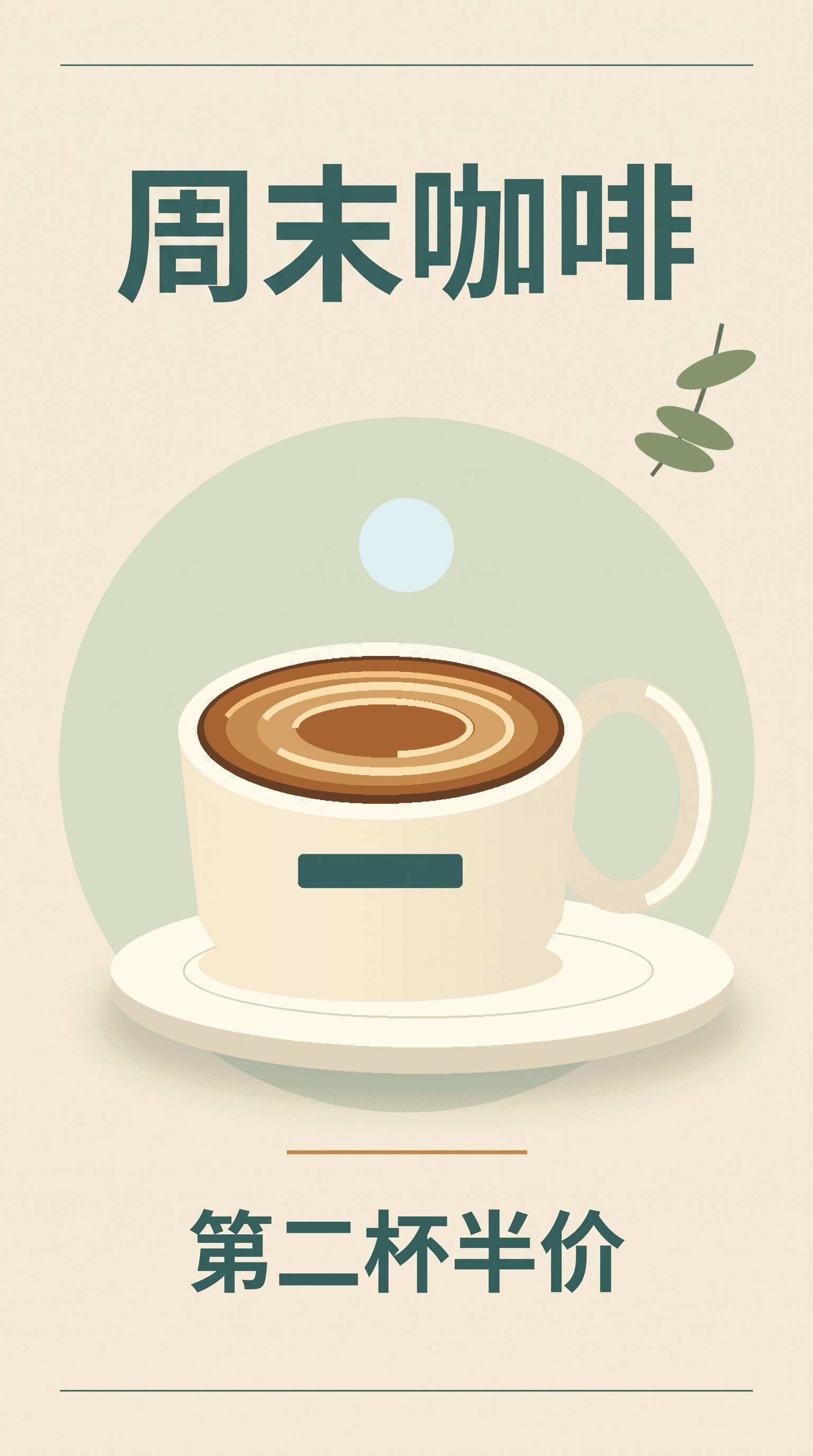
An unwanted pale blue dot appears above the cup.
Nano Banana 2.1 · Attempt 2
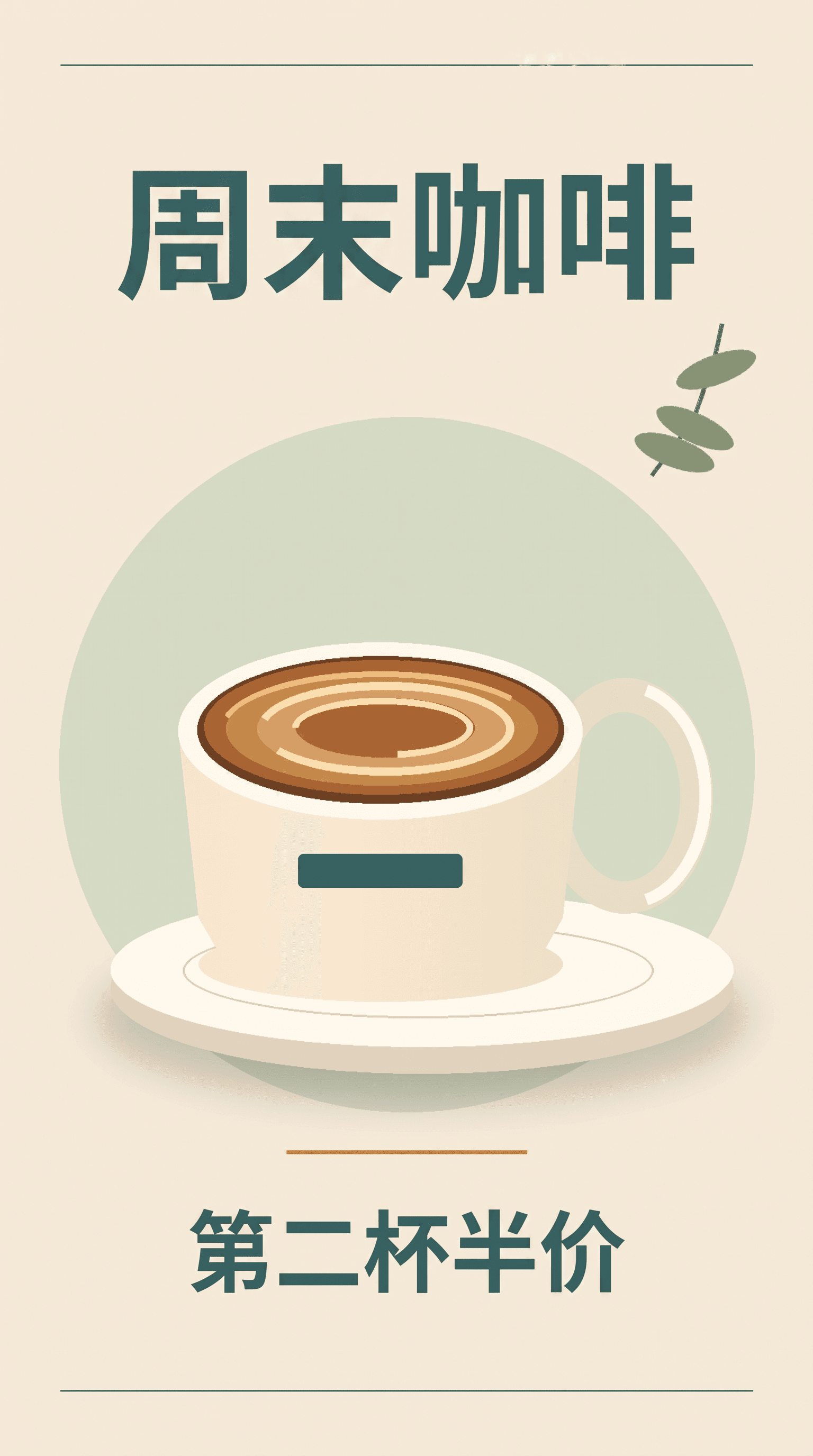
Requested text correct; slight fine-line disturbance.
Nano Banana 2 · Attempt 2
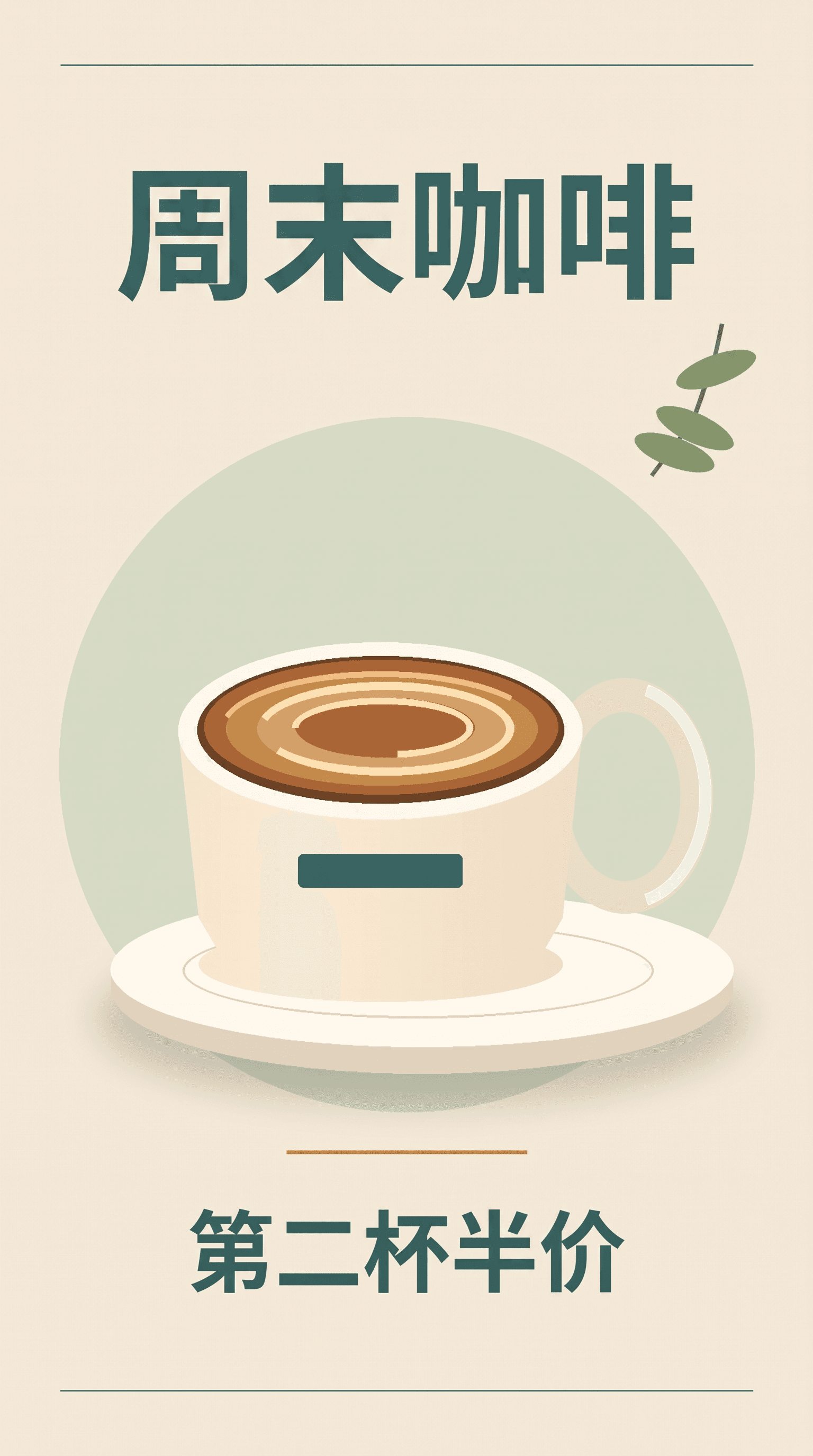
Text updated; surrounding design preserved.
Both models changed the headline; the recorded differences include a fine-line disturbance in 2.1 and an added dot in the first Nano Banana 2 result.
Multiple references: combining objects and assigning roles are different challenges
Both models handled our four-object composite well. The references supplied a bottle, yellow mug, red notebook, and green plant. Both attempts from each model kept the specified order and each object’s attributes.
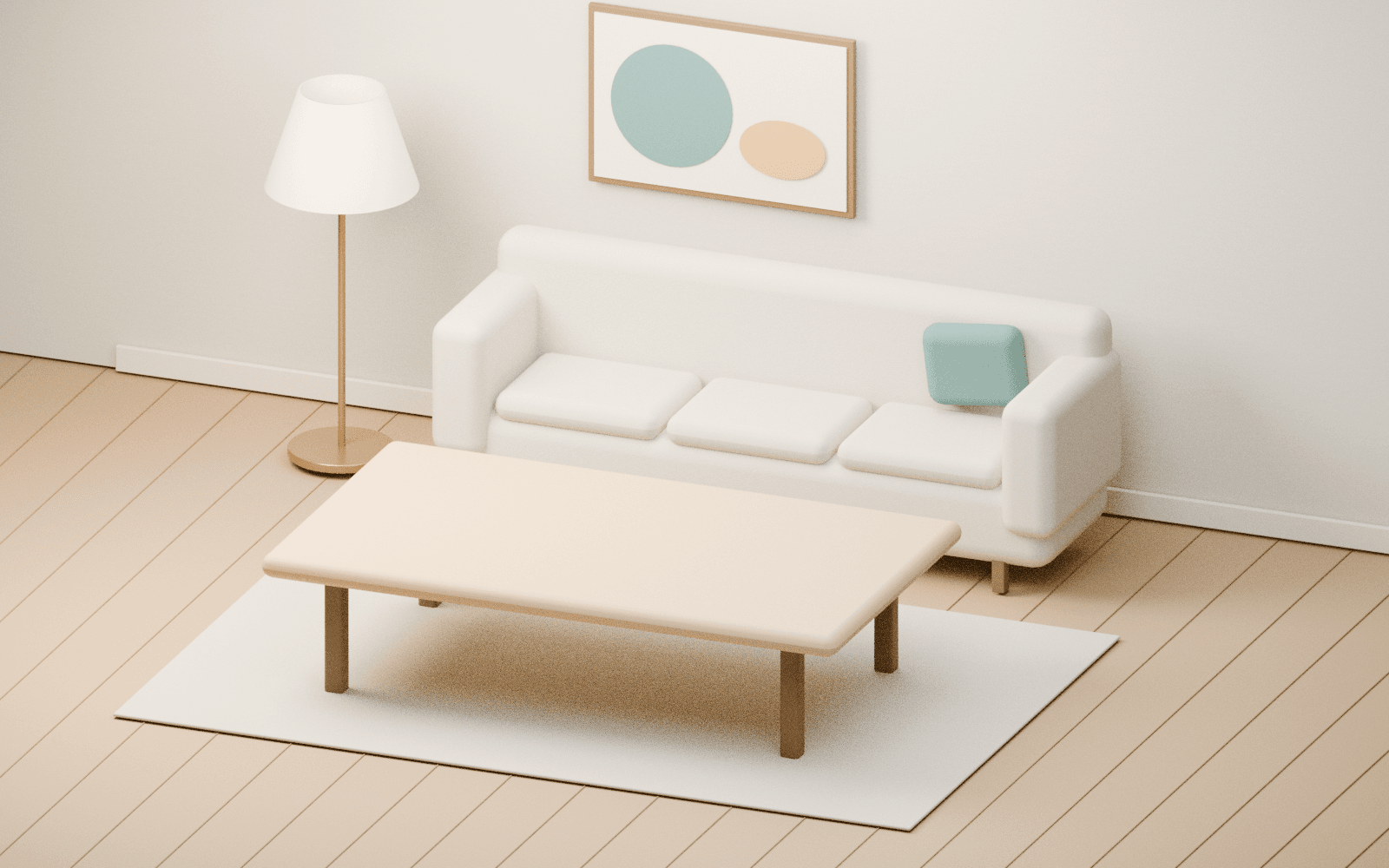
The product-and-room task also produced comparable results. Both models placed the bottle into the reference room while preserving the product and the main room layout.
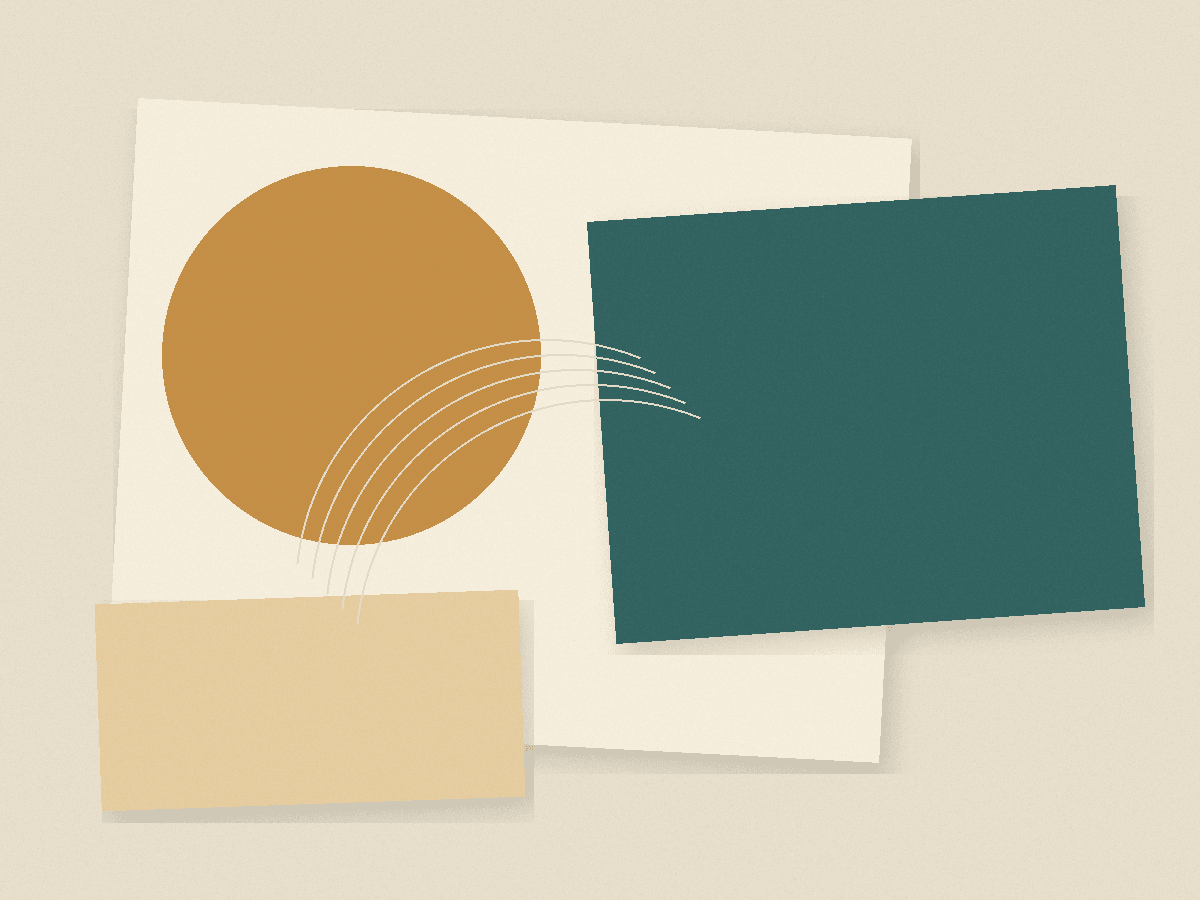
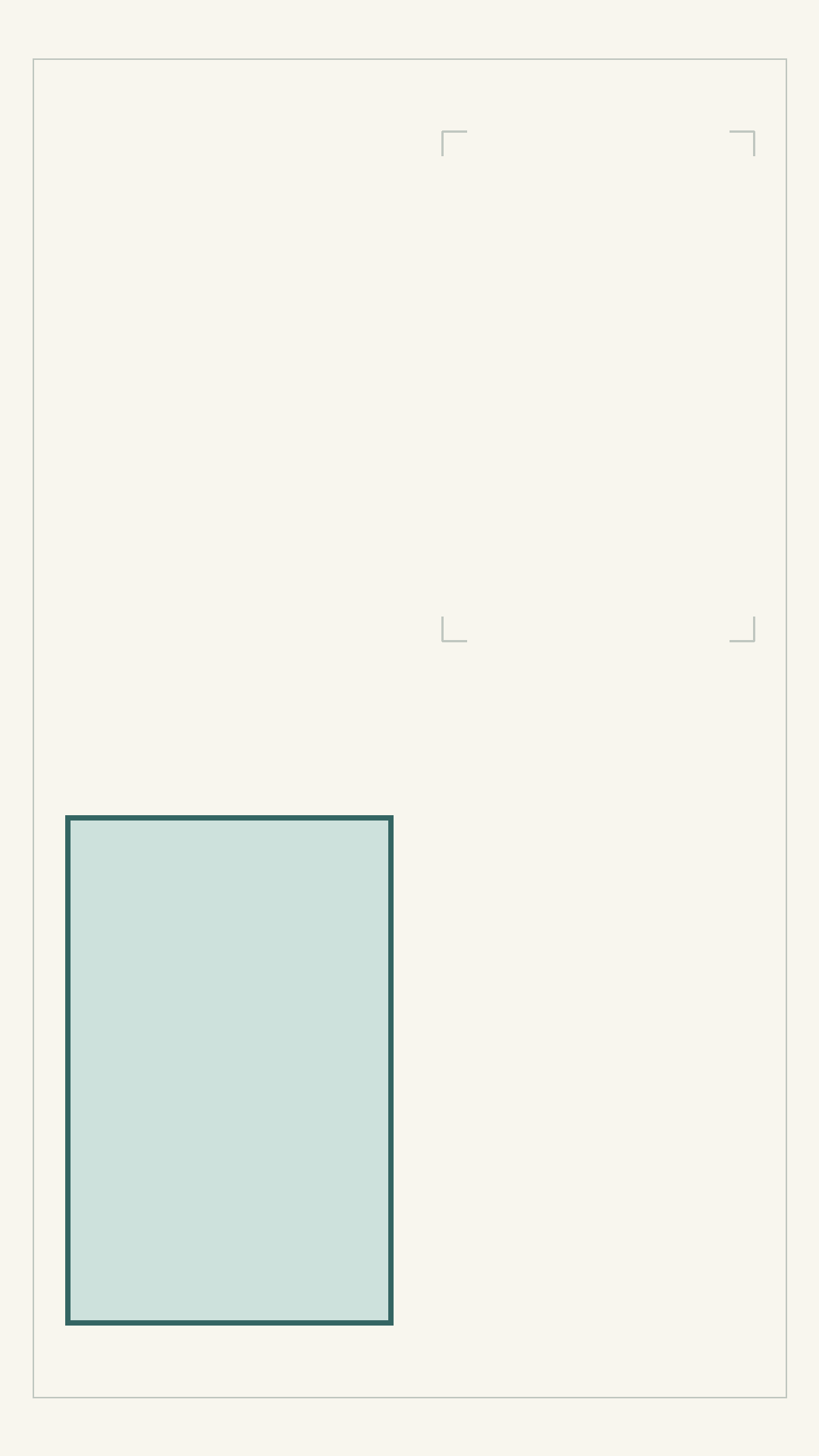
A different four-reference task exposed a more difficult problem. Here, each input had a separate job: one supplied the product, another the environment, a third the palette and paper texture, and the fourth the layout. We explicitly prohibited copying the style reference’s paper border or the layout guide’s diagram shapes.
Nano Banana 2.1 copied a full paper border in both outputs. Nano Banana 2 also introduced patches or shapes that were difficult to distinguish from unwanted reference details. Both sets of results needed closer inspection before use.
This distinction matters when preparing references. Combining four objects asks the model to include their visible content. Assigning four different roles also asks it to exclude some visible content. A palette card or layout sketch can introduce details you never intended to put in the final image.
The person-and-room task showed another failure worth checking: 2.1 added a foreground table in its second attempt, while 2 made the person too small in both. Inspect the original furniture, scale, and layout after a composite, even when the inserted subject looks plausible.
Q02 / IMAGE COMPARISON
01 · product
02 · environment
03 · palette & texture
04 · layout
Nano Banana 2.1 · Attempt 1
A prohibited paper border was copied into the result.
Nano Banana 2 · Attempt 1
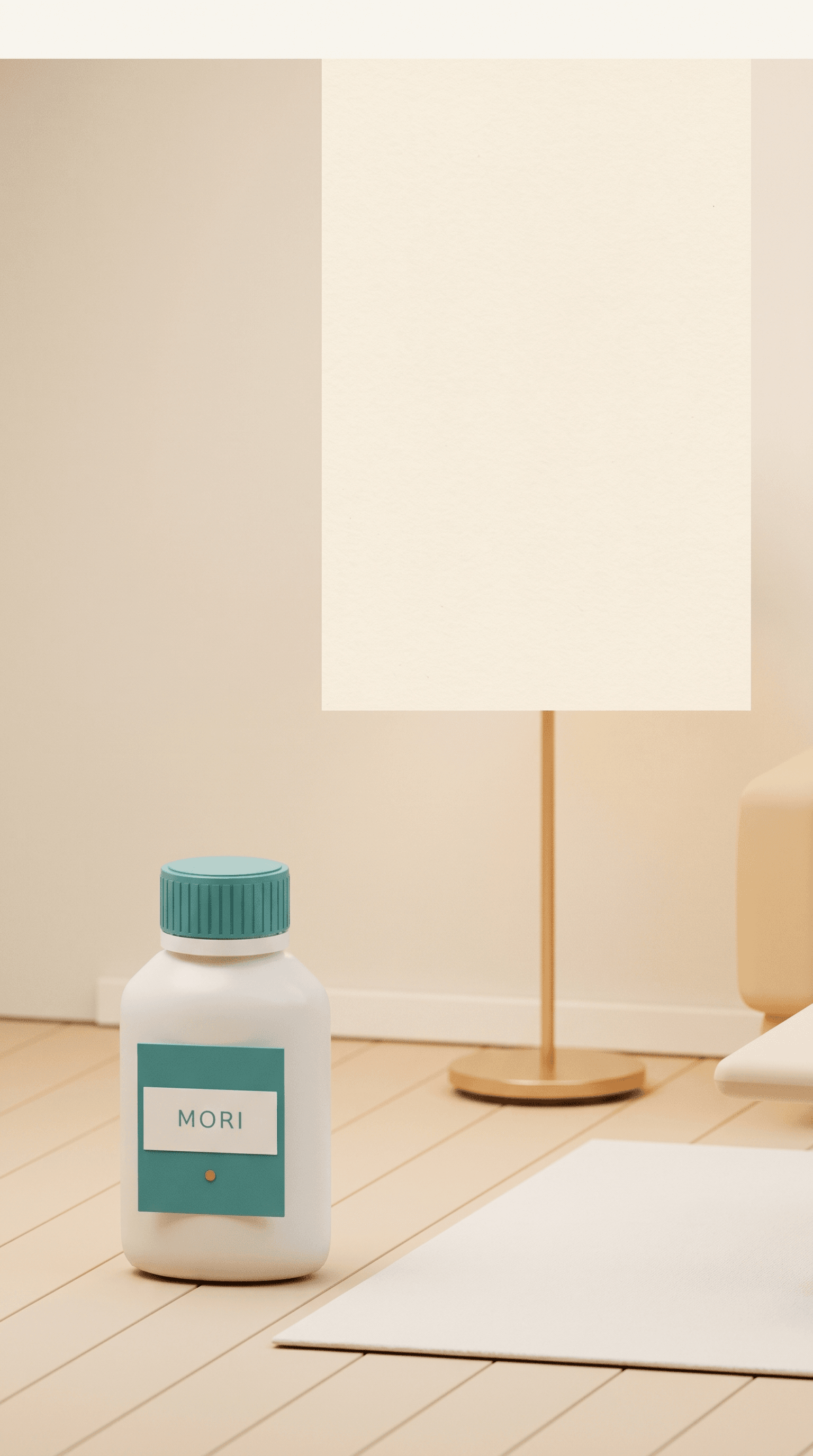
Ambiguous patches or shapes require closer review.
Nano Banana 2.1 · Attempt 2
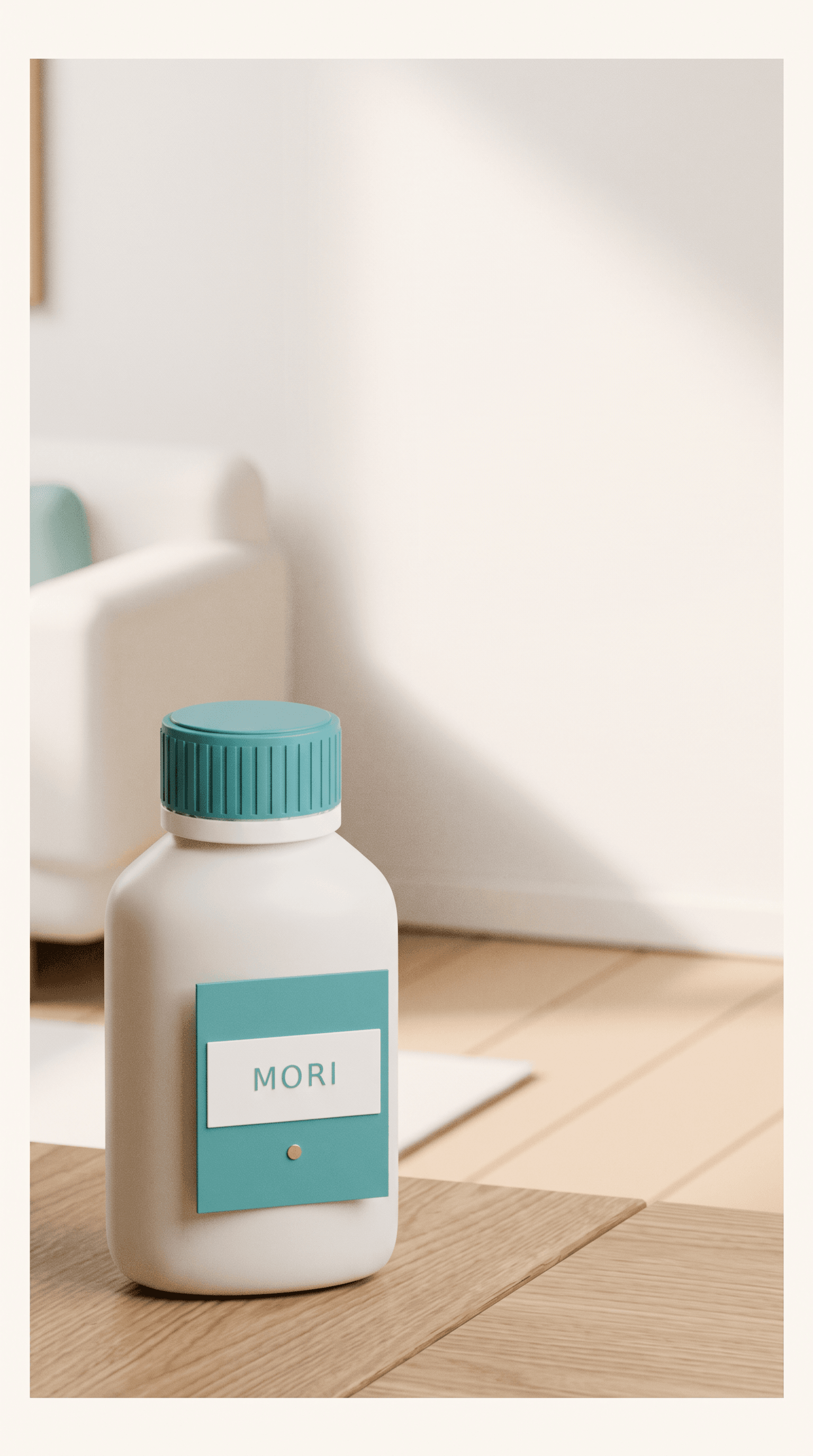
A prohibited paper border was copied into the result.
Nano Banana 2 · Attempt 2
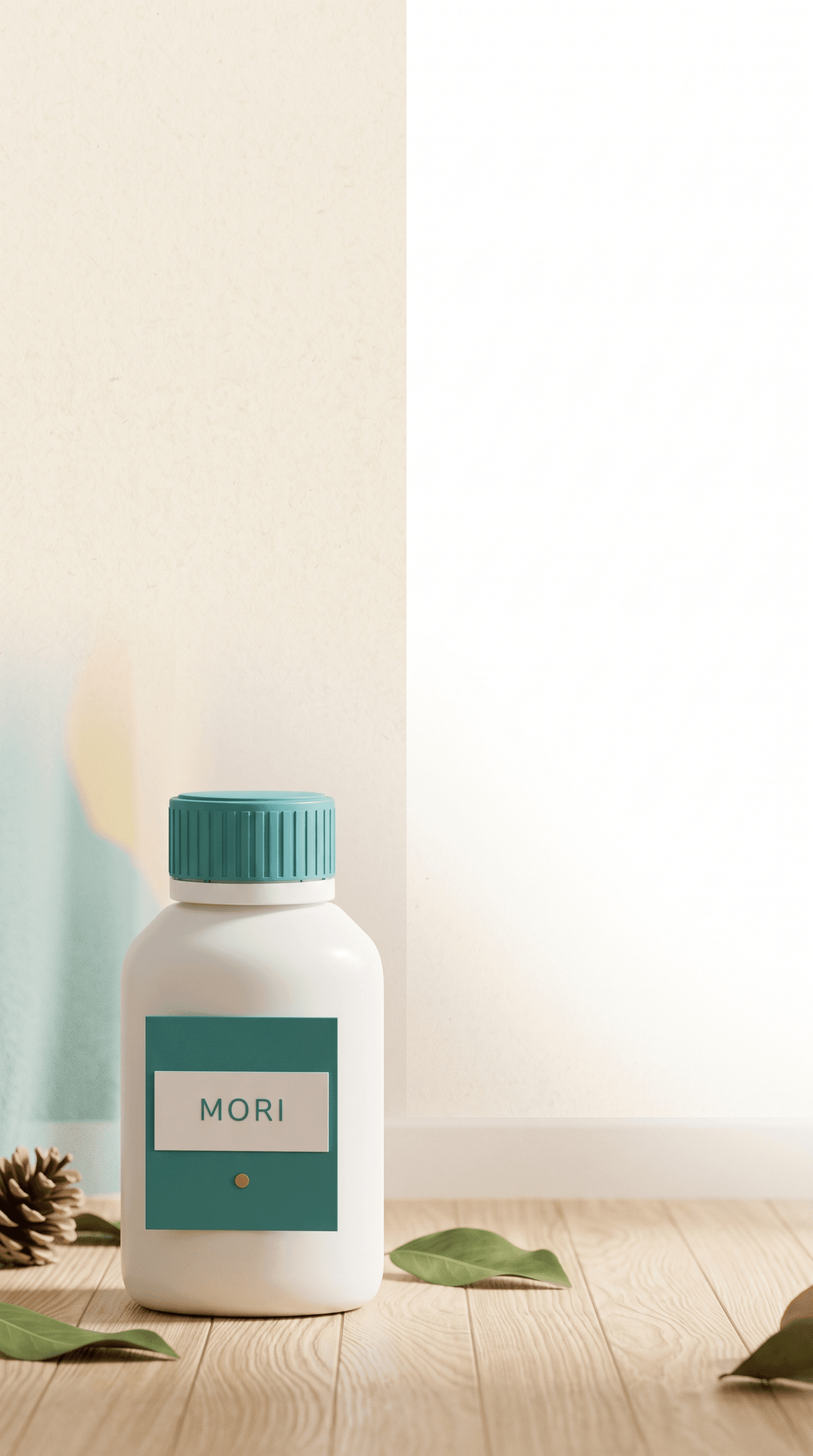
Ambiguous patches or shapes require closer review.
Four inputs supplied separate product, environment, style, and layout roles. Nano Banana 2.1 copied the prohibited paper border in both attempts.
Six characters: identity and placement held, but details were missed
For the tea-party scene, we supplied six separate character images and specified two rows of three people. Each character had an assigned position, distinctive appearance, and action. The scene also required exactly three cups, one cake, and specific Chinese and English lettering.
Both models preserved the six identities and assigned positions across both attempts. Neither satisfied every requirement.
Nano Banana 2.1 generated only two cups in each attempt. The sword’s placement also departed from the instruction. Nano Banana 2 included the correct cup count in its first attempt but missed a cup in its second; both outputs added unwanted lettering to clothing.
These results show why character consistency needs more than a face check. The correct cast and arrangement can coexist with incorrect props, accessory placement, or text.
For a scene with fixed production requirements, list those requirements before generating. Count the props, inspect each character’s accessories, and check every visible word. A convincing group composition can still require another edit.
C01 / IMAGE COMPARISON
References 01–06 · six separate character identities
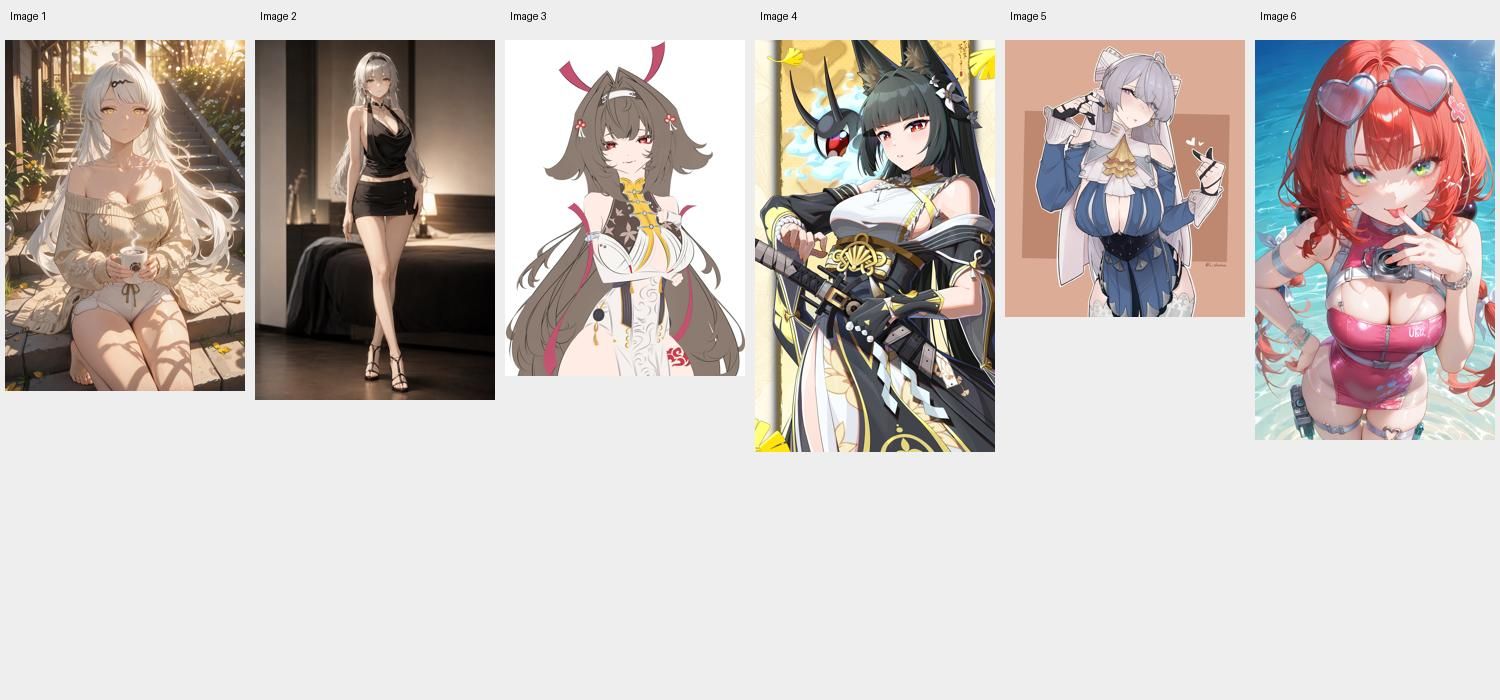
Nano Banana 2.1 · Attempt 1
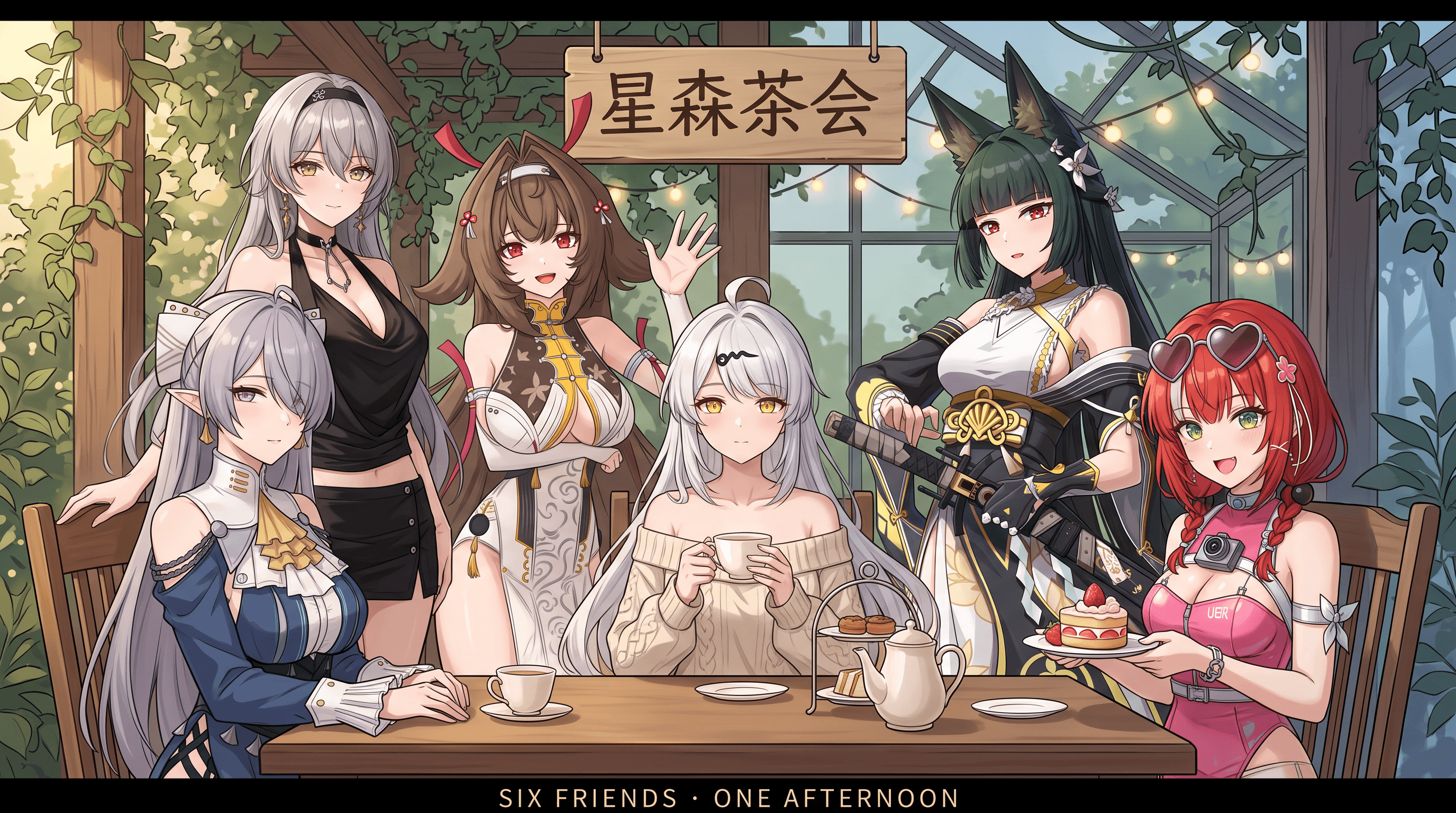
Two cups instead of three; sword placement also differs.
Nano Banana 2 · Attempt 1
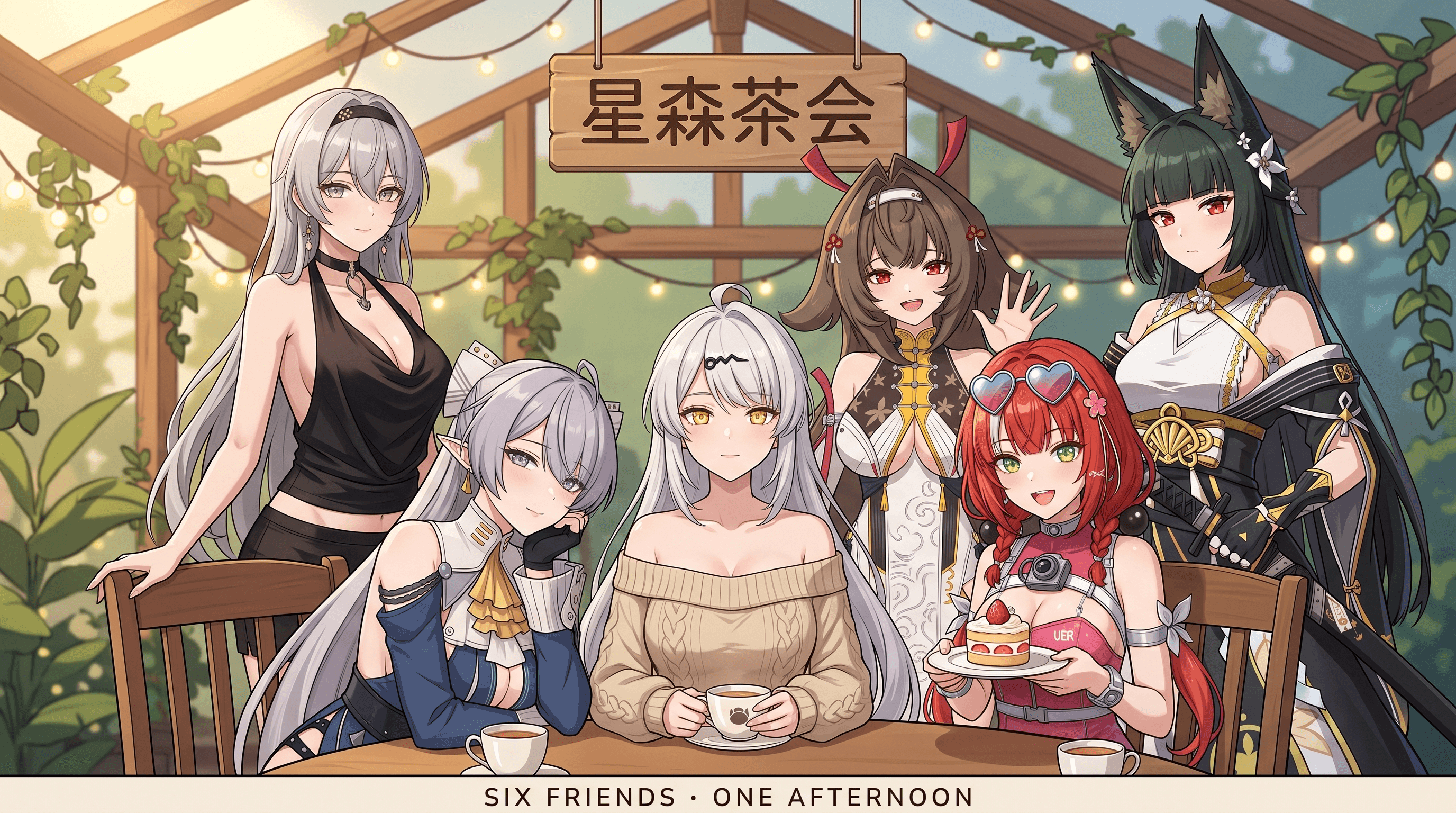
Three cups; extra lettering appears on the pink clothing.
Nano Banana 2.1 · Attempt 2
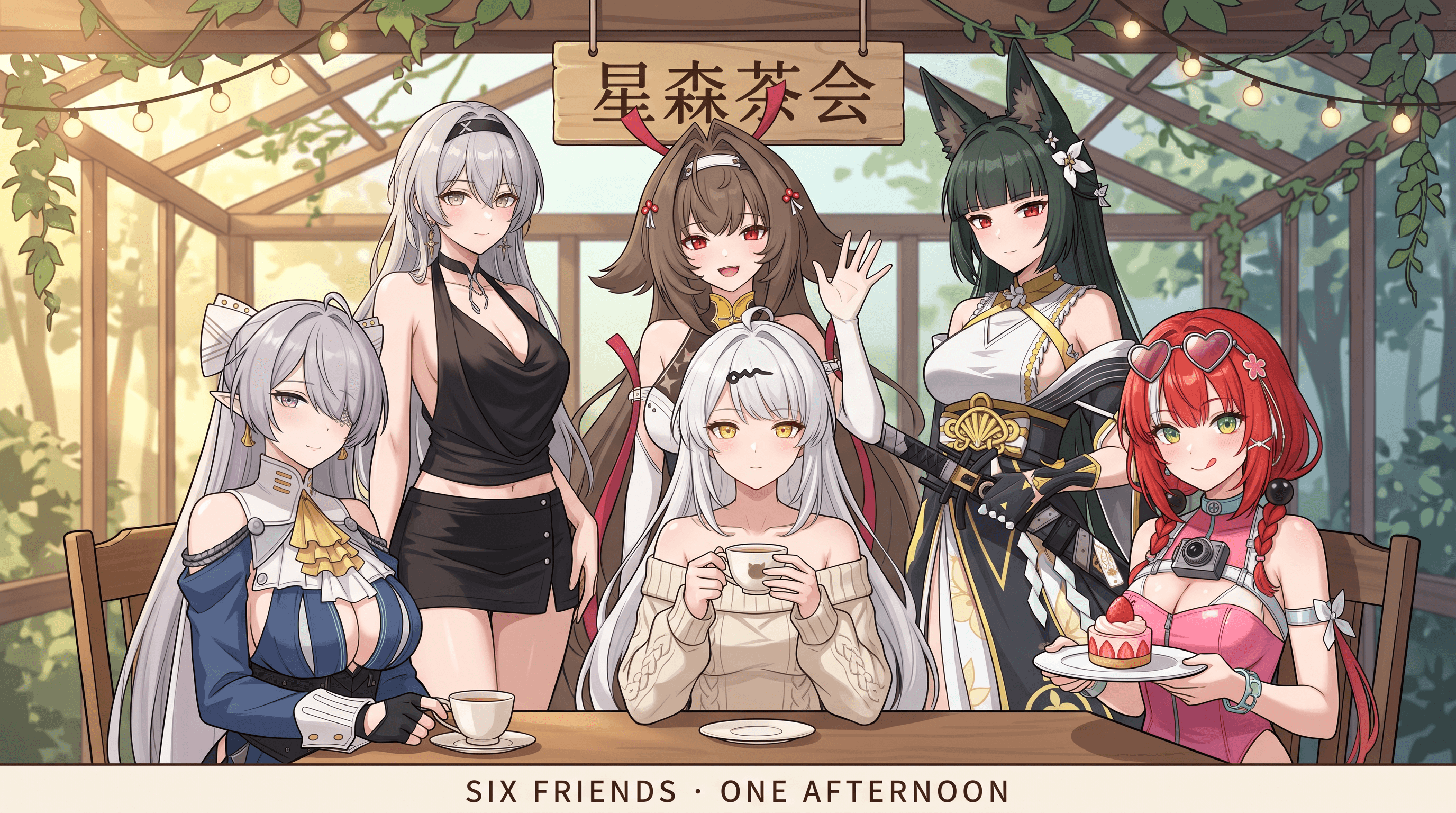
Two cups instead of three; sword placement also differs.
Nano Banana 2 · Attempt 2
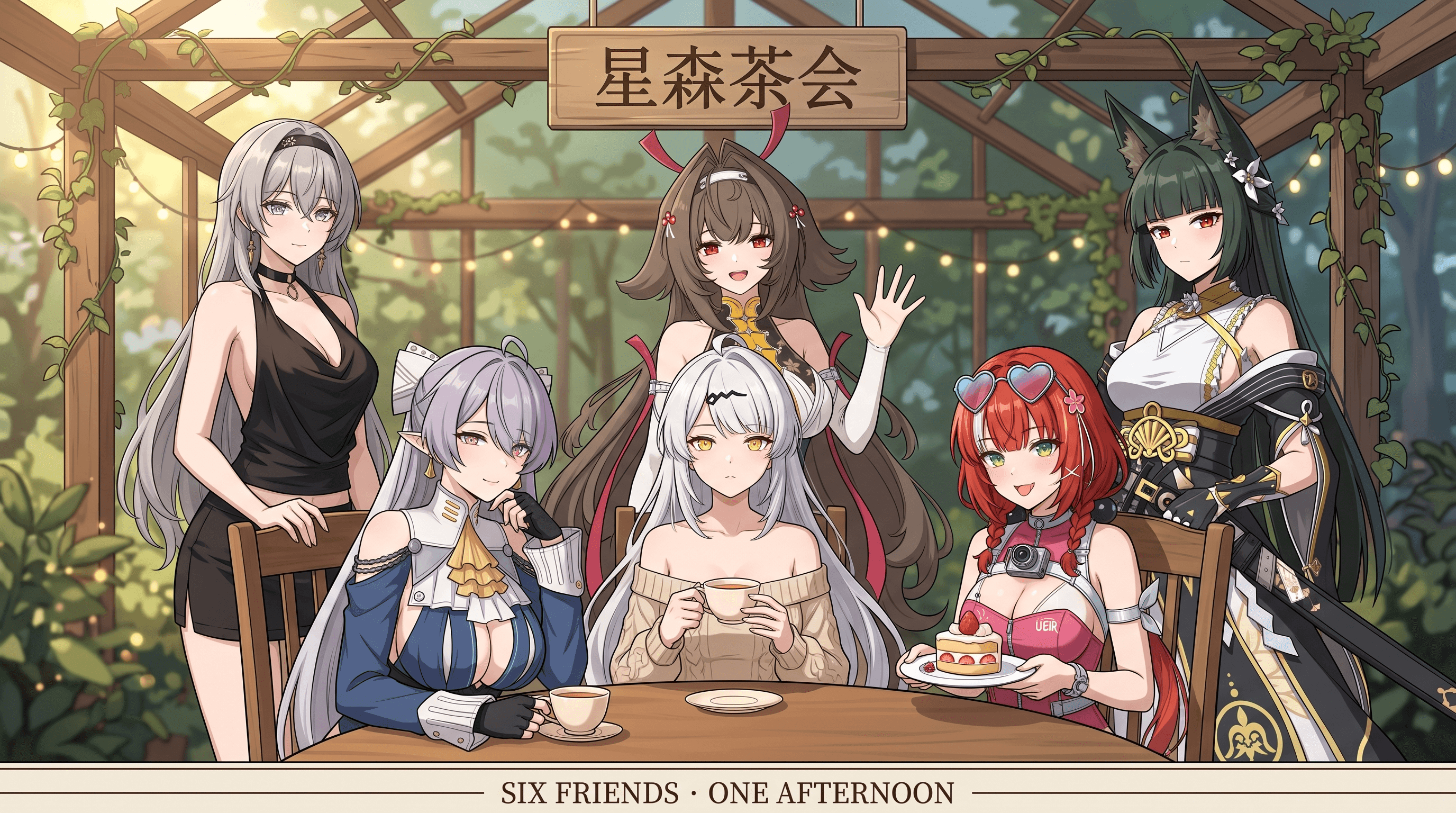
Two cups instead of three; extra clothing lettering.
Both models retained six characters and their assigned positions. Compare cup counts, clothing lettering, and accessory placement.
The journal poster: 2.1 met more requirements, but missed the requested texture
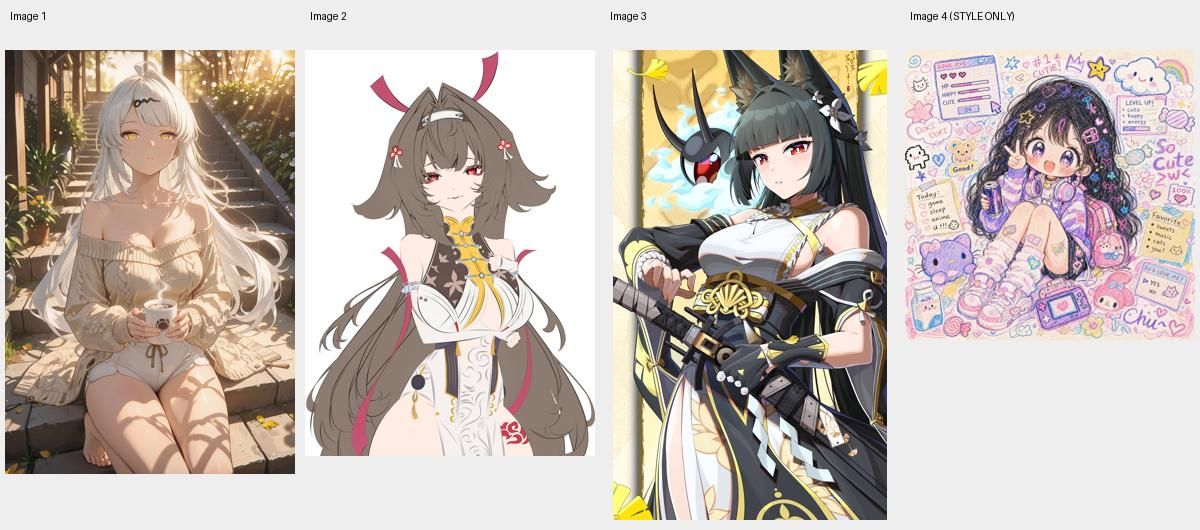
The most useful difference favoring 2.1 appeared in a vertical adventure-journal poster. Three references supplied character identities; a fourth supplied only the visual style. The prompt combined character placement, shared interaction around a map, a station setting, task cards, connecting lines, and exact lettering.
Nano Banana 2.1 fully met five of the eight predefined checks in each attempt. Nano Banana 2 fully met three in the first attempt and four in the second.
Nano Banana 2’s first result included N/E/S/W on the compass. Counting those letters as part of the allowed icon raises that result from three to four fully met checks; 2.1 still met more requirements in this example.
The 2.1 results preserved the main character assignments and organized the poster clearly, but introduced extra text. Both models also rendered smoother, more polished character art than the supplied colored-pencil and crayon reference requested.
Nano Banana 2’s second output changed a character’s hairstyle and added longer unrequested text. These are useful differences for creators whose assets depend on recognizable character details and controlled copy.
For a similar multi-character poster, we recommend starting with 2.1. Check hand positions, extra lettering, and texture before saving the final image: neither model met every requirement in this complex scene.
C02 / IMAGE COMPARISON
References 01–03 · characters; reference 04 · style only
Nano Banana 2.1 · Attempt 1
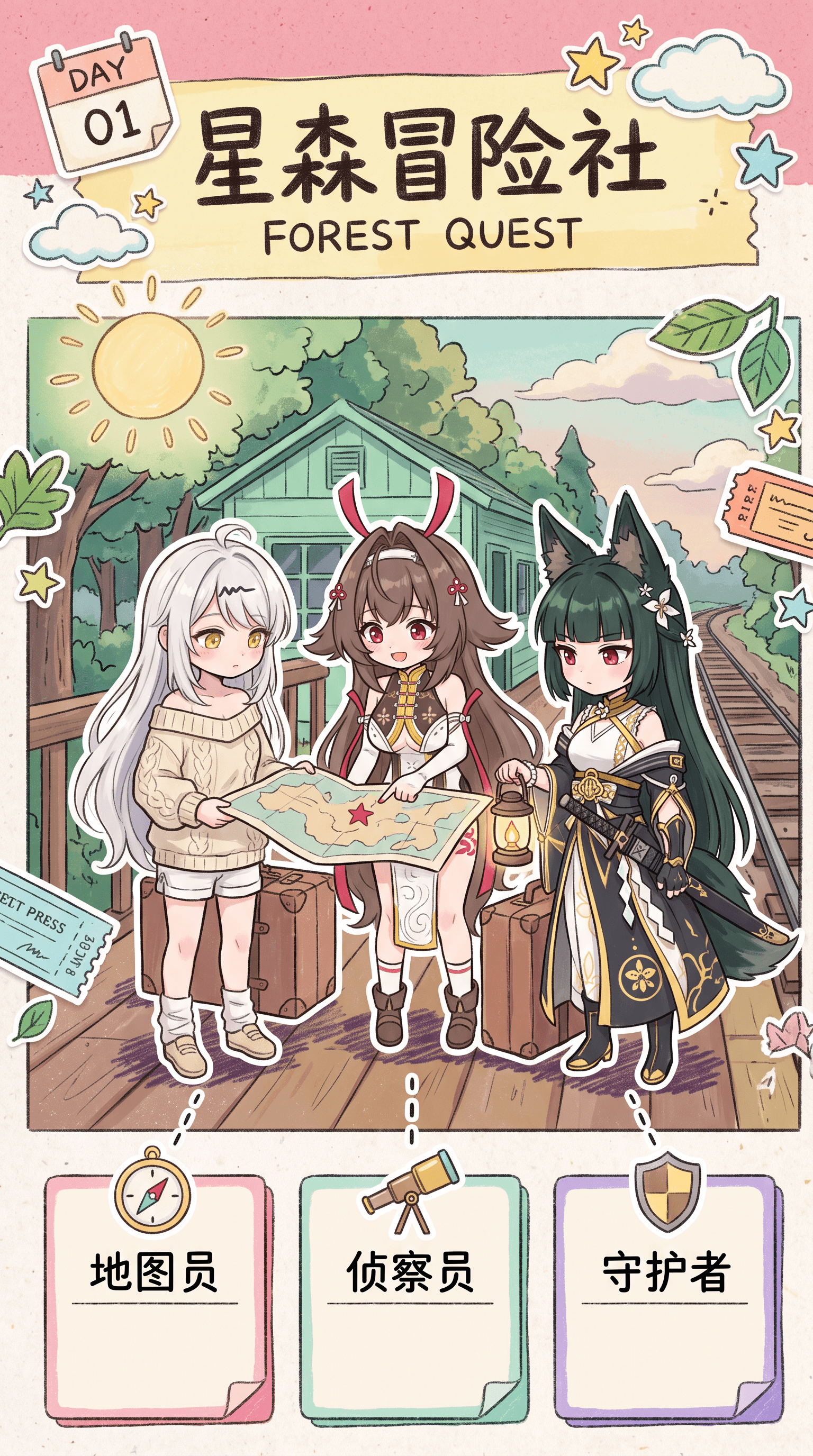
5/8 checks fully met. Smooth rendering and extra text remain.
Nano Banana 2 · Attempt 1
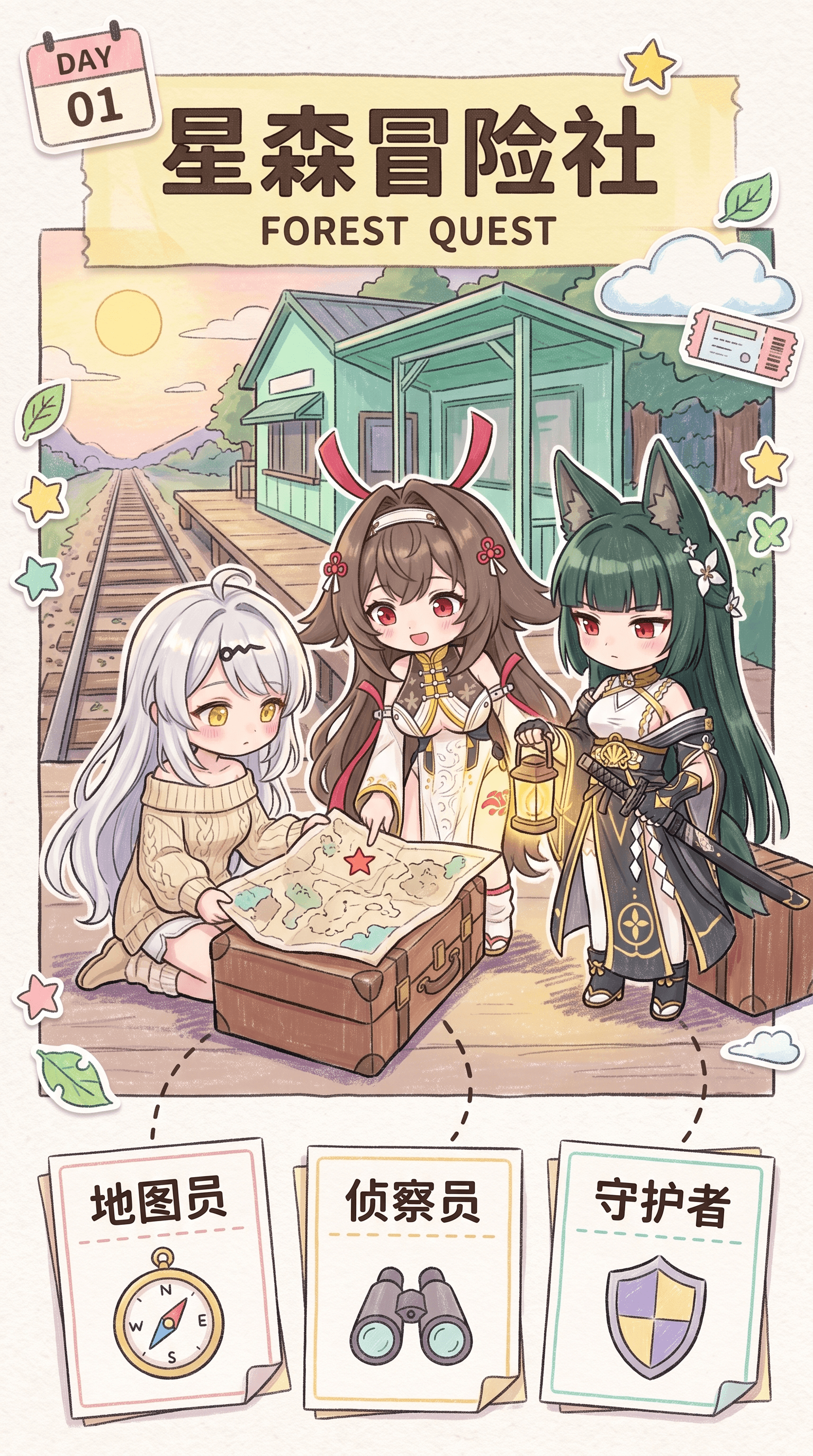
3/8 checks fully met; 4/8 under the alternate compass-letter interpretation.
Nano Banana 2.1 · Attempt 2
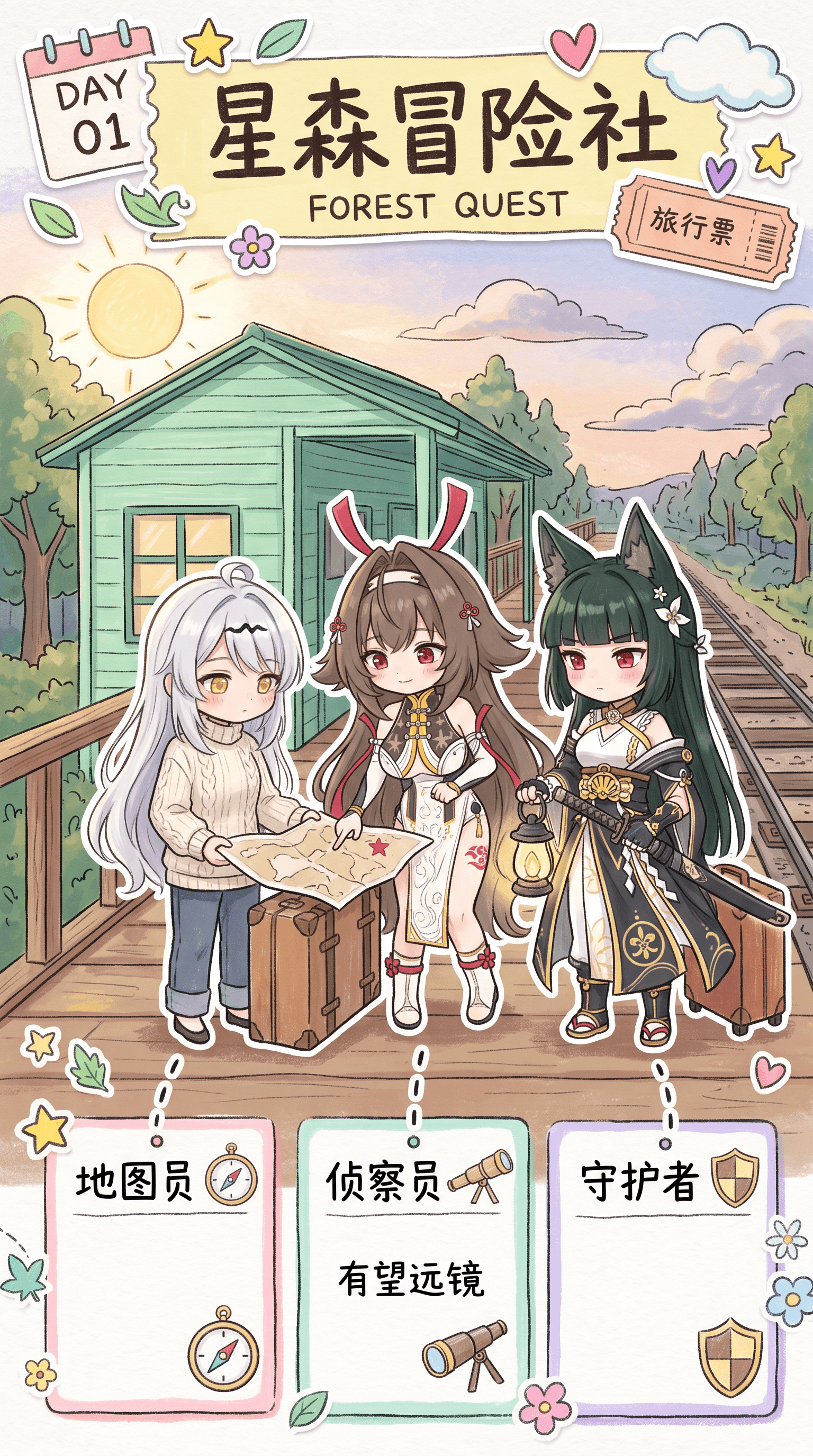
5/8 checks fully met. Extra ticket/card text remains.
Nano Banana 2 · Attempt 2
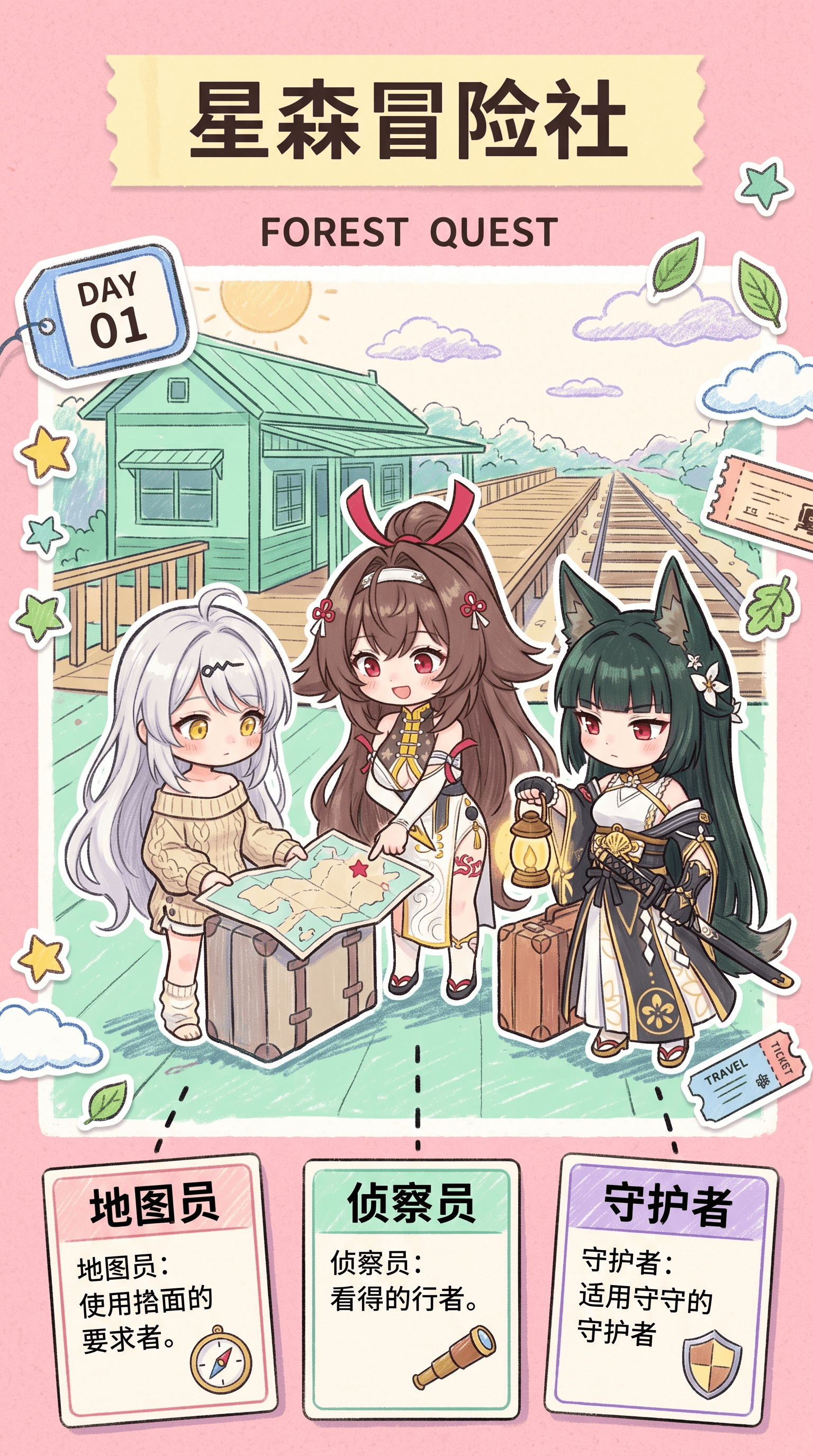
4/8 checks fully met. Hairstyle changed and extra copy added.
Two attempts per model show differences in character details, extra text, and layout compliance; neither model fully met the requested hand-drawn style.
Which model should you choose?
| Your task | Our recommendation |
|---|---|
| A simple product color edit or straightforward object composite | Choose either model. Both handled these examples well. |
| Replacing a short headline in an existing poster | Start with 2.1, then check nearby lines and decoration. |
| A multi-character poster with specified layout and labels | Start with 2.1. It followed more requirements in our journal example. |
| A six-character scene with exact prop counts | Either can preserve the cast and positions. Check prop counts, accessories, and text before saving. |
| An edit requiring every untouched element to remain exact | Use direct editing controls for the final corrections. Neither model demonstrated exact preservation across all our edits. |
Nano Banana 2 is still a practical choice for everyday edits and straightforward composites. If it already gives you the results you want, you can continue using it. Learn more in our Nano Banana 2 overview.
Choose Nano Banana 2.1 for a task like the journal poster, where character identity, composition, and text need to work together. Its results in this example followed more of the requested details, while still needing a final check.
Pricing and access on DomoAI
You can use both Nano Banana 2.1 and Nano Banana 2 in DomoAI’s image editor. Current credit costs for generation without reference images, with the aspect ratio set to Auto, are:
| Output setting | Nano Banana 2.1 | Nano Banana 2 |
|---|---|---|
| 2K | 7 credits | 10 credits |
| 4K | 16 credits | 15 credits |
At 2K, Nano Banana 2.1 costs 3 fewer credits per generation in this setup. At 4K, Nano Banana 2 costs 1 fewer credit. The Generate button shows the cost for your selected settings and references.
Both models support Relax Mode on Standard and higher plans, so you can make eligible generations without spending credits. On Basic, each generation uses credits. See DomoAI pricing for plan details.
Create your next image with DomoAI
Both models are available in the same editor. Choose Nano Banana 2 for everyday edits and straightforward composites, or start with Nano Banana 2.1 for a detailed character poster like the one above.
Open the Multi-Model Image Generator & Editor, select the model that fits your project, and upload your images or describe what you want to create. Generate your image, refine any details you want to change, and save the result you’re happy with.


