

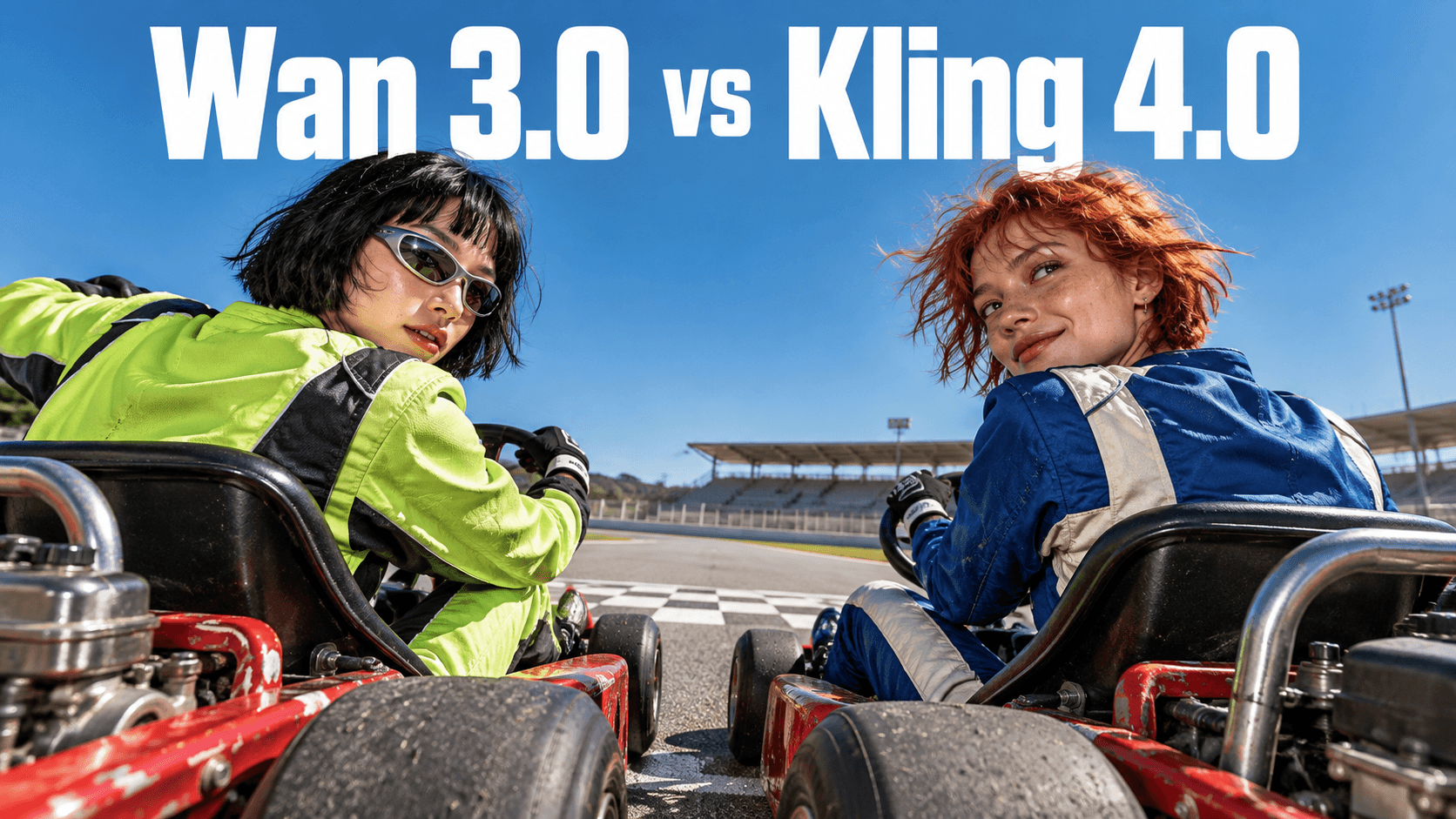
Wan 3.0 and Kling 4.0 both generate videos up to 30 seconds long. Wan supports up to 20 reference assets and can draw on documents and webpages; Kling offers up to 10 keyframes for guiding a sequence. Consider Wan when your project starts with varied source material, and Kling when you have a storyboard with specific moments to control.
For creators turning that comparison into a production plan, DomoAI offers related workflows for animating product photos, generating video from mixed references, adding a talking presenter and upscaling the chosen take. Match each step to what the shot needs.
Wan 3.0 vs Kling 4.0 at a glance
| Decision point | Wan 3.0 | Kling 4.0 |
|---|---|---|
| Published native duration | Up to 30 seconds | 3–30 seconds |
| Reference capacity | Up to 20 assets | Up to 15 combined assets |
| Notable input capability | Document and webpage parsing | References spanning images, videos, subjects and voices |
| Notable direction control | Reference and instruction-based video editing | Up to 10 keyframe images |
| A reason to shortlist it | Your starting material includes a written brief and varied assets | Your sequence needs specific visual milestones |
A larger reference allowance is useful only if you have additional relevant material. Likewise, a longer clip is useful only if the scene needs more time. Neither number tells you whether the final video will communicate your idea clearly.
Where Wan 3.0 fits
Wan’s published feature set combines reference inputs, document and webpage parsing, and video editing. That makes it a relevant option to investigate when the starting point is a collection of material rather than a finished storyboard.
Imagine a launch video for a ceramic lamp. The brief includes product photographs, a page describing the materials, a room reference and a short explanation of the desired mood. Those inputs play different roles: some define the object, some establish the setting, and others explain the message.
Wan’s documented input capabilities are relevant to that kind of brief. They do not remove the need to decide which details matter. A product page may include measurements, several color options and unrelated lifestyle photographs. You still need to identify the exact lamp and the scene you want to make.
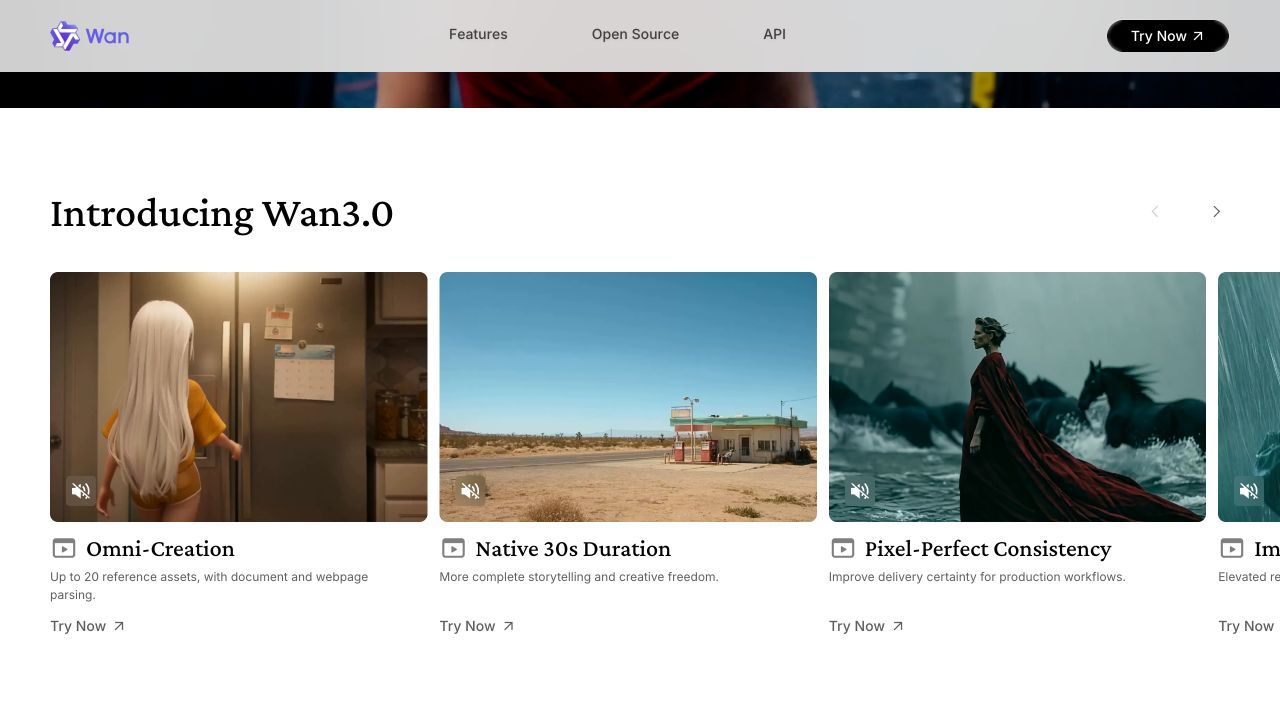
Wan’s official website highlights its reference allowance and native duration.
A useful preparation step is to assign each asset a role before uploading it:
- Identity: the product, person or character that must remain recognizable.
- Setting: the room, landscape or background.
- Appearance: the lighting, palette or material treatment.
- Action: what happens during the clip.
- Context: information needed to understand the brief.
Assigning roles to your assets helps you avoid supplying contradictory versions of the same subject.
Wan is less obviously the right choice if your only reason for selecting it is the 20-asset maximum. A simple product reveal may need one clear product image and a concise direction. For that image-to-video workflow, DomoAI’s Image to Video AI generator lets you animate a product photograph with a prompt describing the action and camera movement. More references are useful only when they clarify the shot.
For revisions, first decide whether you need a local change or a new scene. “Change the wall color while preserving the lamp” is a different request from “move the lamp into a completely different room.” Treating both as small corrections makes it harder to judge whether the tool is doing the job you intended.
Where Kling 4.0 fits
Kling 4.0’s keyframe controls are especially relevant when you already know the sequence of visual events. A keyframe specifies a state you want the video to reach; the model generates the motion between those states. Kling’s Multiple Keyframes guide describes using up to 10 images to establish those milestones.
For the lamp example, you might plan three states: an unlit lamp in a quiet room, a hand reaching toward its switch, and the lamp illuminating the wall. Each state contributes something different. The references describe the object and setting; the keyframes describe the progression.
Reference count describes how much source material you can supply. Keyframe count describes how many visual milestones you can set along the timeline.
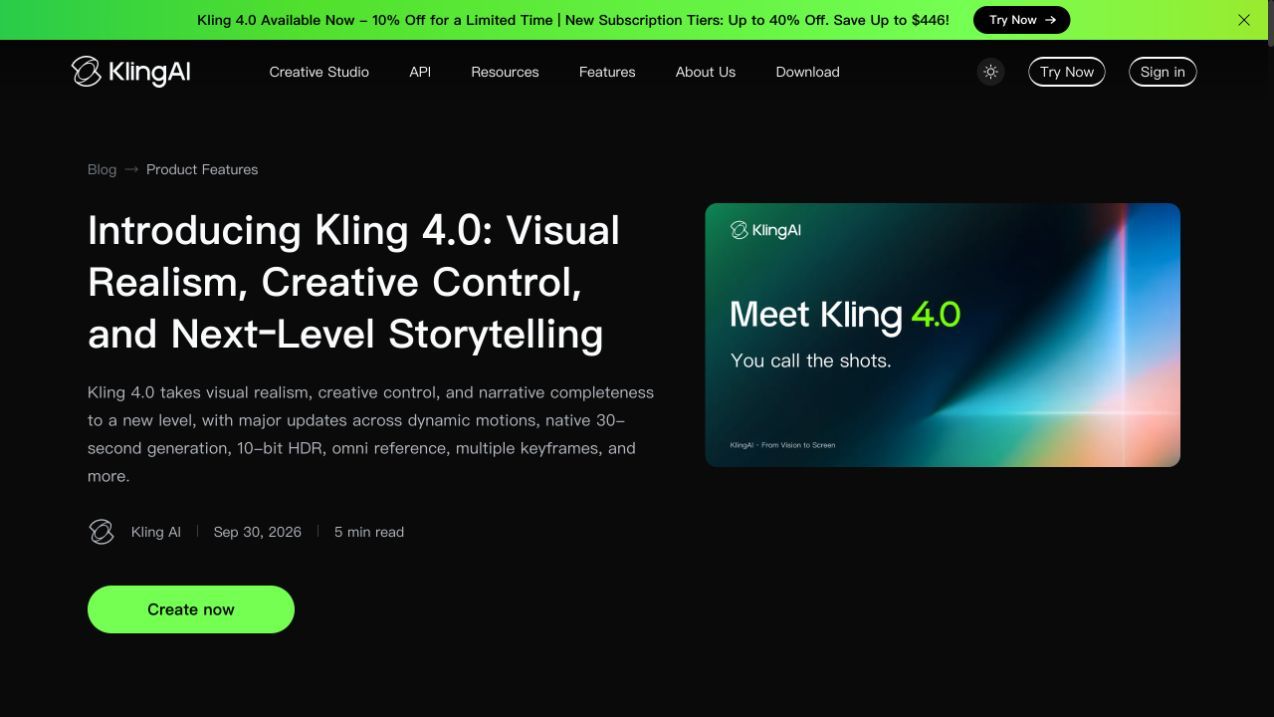
Kling 4.0 on the official Kling website.
The practical question is whether you have those visual states ready. If you do, keyframes give you a more explicit way to communicate their order. If you have only a general mood and no storyboard, you may need to prepare images before that control becomes useful.
Avoid treating every keyframe as a separate instruction to change everything. A different camera angle, background, outfit and object position at each milestone creates a much more demanding sequence than a single action in one setting.
A storyboard should also distinguish a continuous shot from a cut. A camera moving around a stationary lamp is one kind of transition. Cutting from a wide room view to a close-up of the switch is another. Describe that intention explicitly instead of expecting an image sequence alone to explain the editing language.
Kling 4.0’s keyframe controls make it worth considering for planned reveals, demonstrations and narrative beats. For a product reveal with a defined opening and closing image, DomoAI’s Frames to Video offers a start-and-end-frame workflow using ByteDance’s Seedance 2.0. Choose those two compositions first, then describe how the product or camera should move between them.
Four specifications that need context
Native duration and video extension
Native duration is the length generated in one task. Extension adds more material to an existing clip. A model offering a 30-second native generation should not automatically be described as offering a two-minute native generation because an extension feature appears elsewhere on its roadmap.
Kling’s launch announcement labels extension up to two minutes and 10-bit HDR output as forthcoming features. Confirm that they are available in your selected interface before planning around them.
For planning, choose the shortest duration that accommodates the action. A five-second product turn and a conversation have different timing needs. Stretching the first to fill a longer allowance does not necessarily make it more useful.
Sound and dialogue
Wan’s overview describes integrated sound design. Kling’s guide explicitly lists two-channel stereo audio.
For a scene with speech, specify the speaker, the exact line and whether the voice belongs on screen or in narration. For a product shot, decide whether you need a switch click, room ambience, music or silence.
Check that the selected access route exposes the audio setting you need. A silent mode on one platform is not evidence that the underlying model cannot generate sound. If the deliverable is a speaking presenter rather than a full scene, DomoAI’s Talking Avatar pairs a portrait with uploaded speech or text-to-speech audio for AI lip sync. This gives a product introduction or explainer a focused talking-photo workflow.
Resolution and visual quality
Resolution describes the dimensions of an image or video frame. It does not measure whether a hand moves plausibly, a product keeps its shape or a camera move follows the brief.
When comparing export options, also check whether the stated size is the generated output or the result of an additional upscale. Those are different stages of a workflow.
If your delivery requires particular output dimensions, verify that setting in the exact model and interface you intend to use. In DomoAI, the AI Video Upscaler can take a selected clip up to 4K as a separate finishing step. Review motion, product shape and lettering before upscaling; a larger frame does not establish that those details are correct.
Reference limits and consistency
Reference limits are input allowances, not consistency scores. Supplying several views of the same object can clarify its appearance; supplying several conflicting versions can leave the intended result unclear.
For a lamp, an extra image of the back may help describe its shape. A photograph of a different lamp in a more attractive room may instead confuse the subject with the setting. Explain which part of each image should guide the video.
This also changes what “better” means. A creator who needs several product angles has a different priority from someone who needs the last frame to match a prepared composition.
Price and access are part of the decision
A reliable price comparison needs matching settings and a named access route. Subscription credits, API billing and third-party platform credits are different units. A lower advertised entry price does not establish a lower cost for the same finished deliverable.
Check the quote for your selected settings in the provider’s interface before committing to a workflow. If you are also budgeting for reference-guided video generation or talking-avatar clips in DomoAI, review the DomoAI plans and credits, then check the generation quote for each task. Compare the cost of the finished sequence, including revisions and any separate upscale step.
For a practical budget, record the model version, duration, resolution, audio setting and quoted charge together. If you change one of them, treat the new quote as a different configuration.
Then consider the work surrounding generation. Preparing reference images, creating a storyboard, correcting a result and assembling the final edit all take time. The feature that reduces your specific preparation burden may matter more than a small difference in the first generation’s charge.
Frequently asked questions
How can I keep the camera still while the subject moves
Describe the camera setup and subject action separately. Try a prompt such as: “Locked-off medium shot. The camera stays in the same position and framing while the person raises one hand.” Remove conflicting instructions such as an orbit or a push-in. If you use Kling 4.0 keyframes, keep their framing consistent with the fixed-camera request.
How do I keep product labels readable
Start with a sharp reference in which the label is clearly visible. Plan a shot that keeps the label facing the camera, and avoid asking for a full rotation unless you have references for the other sides. Check lettering throughout the clip. For a deliverable that requires exact packaging, allow for compositing approved product artwork in a video editor.
How do I keep the same character across several shots
Reuse the same character references and keep clothing, hair and distinguishing details consistent in each shot description. In Kling 4.0, references guide identity while keyframes guide the sequence’s visual milestones; check that both agree before generating. For a DomoAI workflow, the Seedance 2.5 character consistency guide shows how to prepare and reuse character references in Omni Reference. Review adjacent clips together to spot changes that are less obvious in isolation.
How can I avoid spending credits on repeated revisions
Prepare the reference images and shot plan before generating. Begin with one clearly defined action, check the quoted charge, and set a budget for revisions. If a result misses the brief, change one instruction or reference at a time so you can identify what helped. Keep a record of the prompt, settings and cost for each attempt.
Create a reference-guided video in DomoAI
To build an AI product video, character scene or short narrative from several assets, DomoAI’s Omni Reference combines image, video and audio inputs. Choose between ByteDance’s Seedance 2.5 and MiniMax’s H3 model. Assign each reference a specific job—such as product identity, setting or motion—so the prompt explains how the inputs belong together.
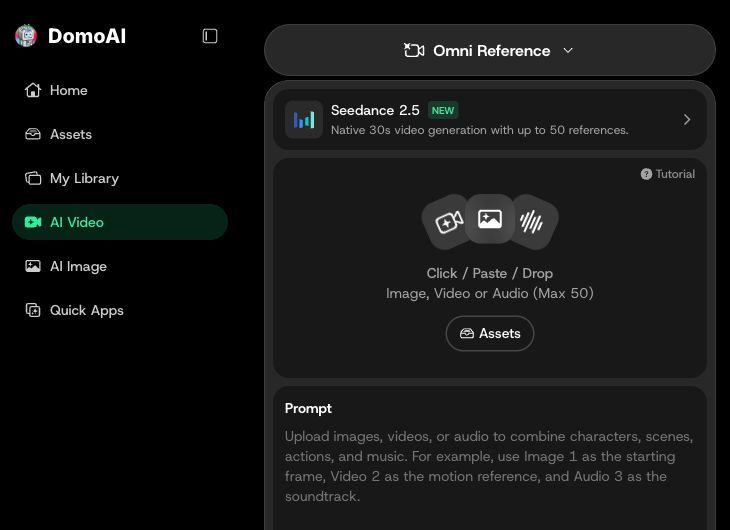
Entry path: AI Video → Omni Reference → model selector. Use the upload area for image, video or audio references. Seedance 2.5 is selected in this Chrome screenshot; the upload allowance shown belongs to that model.
Choose a model based on the clip length and output size you need:
| DomoAI model option | Duration | Output settings |
|---|---|---|
| Seedance 2.5 | 4–30 seconds | 480P or 720P |
| MiniMax H3 | 4–15 seconds | 768P through 2K |
Start with the deliverable. A single product reveal may need one shot; a short narrative needs a sequence with a clear beginning, action and ending. Plan those shots before assembling them, as outlined in the Seedance 2.5 short film workflow.
For the lamp example, write a short brief stating the exact product, the room, the action and the intended final frame. Select the model whose available duration and output settings fit the delivery, add the relevant references, and check the displayed credit quote before generating.
Open DomoAI Omni Reference, upload your reference assets and describe the action you want to create. Select the duration and output settings, then check the credit quote before generating.


